Use flagfile to Simplify yb-admin Commands in YugabyteDB

When working with YugabyteDB from the command line, yb-admin commands can get long fast.

That is especially true when the cluster has multiple YB-Master addresses and TLS is enabled. A command that should be simple can turn into a copy/paste-heavy string of --master_addresses, certificate settings, and the actual operation you want to run.

There is a much easier option:

  • --flagfile

The --flagfile option lets a YugabyteDB process or CLI tool load flags from a file instead of requiring every flag to be typed on the command line.

For yb-master and yb-tserver, this is already a documented way to start the process with a configuration file. For yb-admin, it is especially useful because it can load the master addresses and certificate settings from an existing server.conf file, which avoids retyping long command-line flags.

The Problem: Long yb-admin Commands

Normally, a TLS-enabled yb-admin command often looks something like this:

				
					yb-admin \
    --master_addresses 10.231.0.11:7100,10.231.0.12:7100,10.231.0.13:7100 \
    --certs_dir_name /home/yugabyte/master/conf \
  list_all_masters


That works, but it is easy to make mistakes:

  • ● You might forget a master address.
  • ● You might mistype the certificate directory.
  • ● You might copy a stale command from another universe.
  • ● Or you might just end up with a command that is hard to read in Slack, support tickets, runbooks, or shell history.

With --flagfile, you can reuse the node’s existing configuration file:

				
					yb-admin --flagfile master/conf/server.conf list_all_masters


That is much cleaner.

Where --flagfile Can Help

Command / Process How `–flagfile` Helps
yb-master Loads master configuration flags from a file when starting the process.
yb-tserver Loads tserver configuration flags from a file when starting the process.
yb-admin Can load master addresses and TLS certificate settings from an existing configuration file.
yb-ts-cli Can load TLS certificate settings from a flag file, making per-node commands simpler.

What --flagfile Does

The --flagfile option tells the binary to load flags from a file.

The file uses the same style as normal command-line flags: one flag per line.

For example, a simplified YB-TServer configuration file might look like this:

				
					--tserver_master_addrs=172.151.17.130:7100,172.151.17.220:7100,172.151.17.140:7100
--rpc_bind_addresses=172.151.17.130:9100
--enable_ysql
--pgsql_proxy_bind_address=172.151.17.130:5433
--cql_proxy_bind_address=172.151.17.130:9042
--fs_data_dirs=/home/centos/disk1,/home/centos/disk2
--placement_cloud=aws
--placement_region=us-west
--placement_zone=us-west-2a


Then the process can be started like this:

				
					./bin/yb-tserver --flagfile tserver.conf >& /home/centos/disk1/yb-tserver.out &


For server processes like yb-master and yb-tserver, changing the flag file generally requires restarting the affected process for the new values to take effect.

For CLI tools like yb-admin and yb-ts-cli, the flag file is read when the command runs.

Demo 1: Use --flagfile with yb-admin

Here is a simple example using yb-admin to list all masters.

First, take a look at the relevant values already present in master/conf/server.conf:

				
					grep -E 'master_addresses|certs_dir_name' master/conf/server.conf


Sample output:

				
					--master_addresses=10.231.0.11:7100
--certs_dir_name=/home/yugabyte/master/conf


Now run yb-admin and point it at the master configuration file:

				
					tserver/bin/yb-admin --flagfile master/conf/server.conf list_all_masters


Output:

				
					Master UUID                        RPC Host/Port      State   Role     Broadcast Host/Port 
fdf80dffa0a54a94a8de9e606e0fbd82   10.231.0.11:7100   ALIVE   LEADER   N/A


Notice what is missing from the command:

				
					--master_addresses
--certs_dir_name


Those values were picked up from the configuration file.

Tip: This is especially handy for support, field engineering, and operational runbooks. Instead of pasting long commands with master addresses and TLS flags, use --flagfile master/conf/server.conf where appropriate.

Demo 2: Use --flagfile with yb-ts-cli

The same idea can also help with yb-ts-cli.

yb-ts-cli is usually run against a specific TServer, so you often only need to provide the local server address. For example, on the node itself, hostname -i can be used to supply the server address.

First, take a look at the relevant TLS-related value already present in tserver/conf/server.conf:

				
					grep -E 'certs_dir_name' tserver/conf/server.conf


Example output:

				
					--certs_dir_name=/home/yugabyte/tserver/conf


Now run yb-ts-cli and point it at the TServer configuration file:

				
					tserver/bin/yb-ts-cli -server_address `hostname -i` list_master_servers --flagfile tserver/conf/server.conf


Output:

				
					RPC                Host/Port Role
10.231.0.11:7100   Leader


Again, the useful part is that you are not manually adding the certificate directory to the command.

The value was picked up from tserver/conf/server.conf.

Demo 3: The Flag File Does Not Have to Stay in the Original Directory

The flag file does not have to remain in its original location. You can copy the configuration file and reference it from another path.

				
					cp master/conf/server.conf /tmp/


Now take a look at the relevant values in the copied file:

				
					grep -E 'master_addresses|certs_dir_name' /tmp/server.conf


Example output:

				
					--master_addresses=10.231.0.11:7100
--certs_dir_name=/home/yugabyte/master/conf


Now run yb-admin using the copied file:

				
					tserver/bin/yb-admin --flagfile /tmp/server.conf list_all_masters


Output:

				
					Master UUID                        RPC Host/Port      State   Role     Broadcast Host/Port 
fdf80dffa0a54a94a8de9e606e0fbd82   10.231.0.11:7100   ALIVE   LEADER   N/A
				
			
The key point:
  • No --master_addresses or --certs_dir_name values were provided on the command line.

The command still worked because the needed values were loaded from /tmp/server.conf.

Using --flagfile with yugabyted

When using yugabyted, you can pass additional master and tserver flags through --master_flags and --tserver_flags.

For example:

				
					yugabyted start \
  --master_flags=flagfile=/home/ubuntu/yb_conf/master.conf \
  --tserver_flags=flagfile=/home/ubuntu/yb_conf/tserver.conf


Be careful with this approach. Some flags are managed directly by yugabyted and should not be placed in these flag files.

For example, avoid putting flags such as these in a yugabyted flag file unless you are absolutely sure they belong there:

				
					--rpc_bind_addresses
--server_broadcast_addresses


Those values are typically managed by yugabyted itself.

Caution: With yugabyted, be careful not to place flags in the flag file that are managed by yugabyted itself, such as --rpc_bind_addresses or --server_broadcast_addresses.

Practical Usage Pattern

For yb-admin, this is the pattern I would use most often:

				
					yb-admin --flagfile master/conf/server.conf <command>


Examples:

				
					yb-admin --flagfile master/conf/server.conf list_all_masters
yb-admin --flagfile master/conf/server.conf list_tablet_servers
yb-admin --flagfile master/conf/server.conf list_universe_keys


For yb-ts-cli, this pattern is often useful:

				
					yb-ts-cli -server_address `hostname -i` <command> --flagfile tserver/conf/server.conf


Example:

				
					yb-ts-cli -server_address `hostname -i` list_master_servers --flagfile tserver/conf/server.conf
				
			
Production reminder: Using an existing server.conf file as input to CLI tools is very different from editing that file manually. In managed environments, especially YugabyteDB Anywhere or Aeon-managed universes, do not manually edit generated configuration files unless that is the documented and approved operational path.

Final Takeaway

--flagfile is a small option that can remove a lot of command-line clutter.

For yb-admin, it is especially useful because it can avoid repeatedly typing long --master_addresses strings and TLS certificate settings.

Instead of this:

				
					yb-admin \
    --master_addresses <master1:7100,master2:7100,master3:7100> \
    --certs_dir_name <cert_dir> \
list_all_masters


You can use this:

				
					yb-admin --flagfile master/conf/server.conf list_all_masters


It is easier to read, easier to share, and less error-prone.

Small flag. Big quality-of-life improvement.

Have Fun!

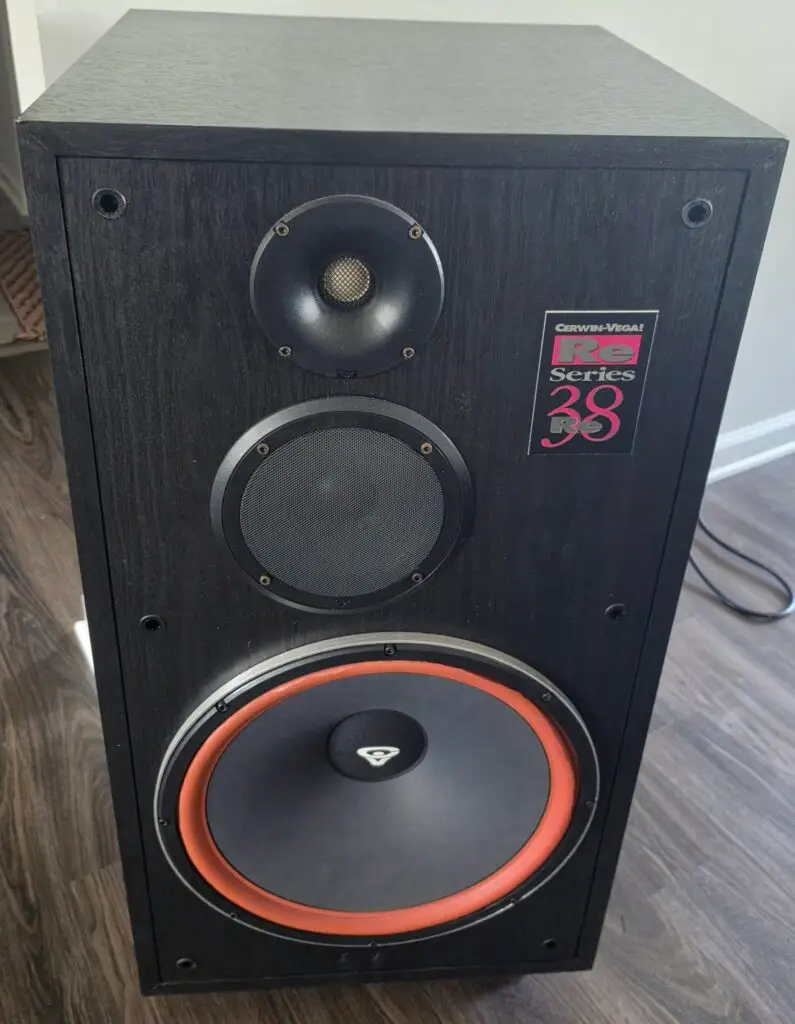
A bittersweet goodbye to my Cerwin-Vega! RE Series 38 speakers.

I’ve had this pair for over 25 years, and they still perform like the day I brought them home from Silo, the electronics store that sadly no longer exists. As part of our move to Dallas, my wife has officially decided they are “too big to move,” so it’s time for someone else to enjoy them.

Big sound, big memories, and apparently… too big for Texas 😄
