In this follow-up tip, we’ll look at what happens behind the scenes.
The SQL syntax is PostgreSQL-compatible, but the internal delivery path is different because YugabyteDB is distributed:
● PostgreSQL runs inside a single database instance and uses shared memory for notification delivery.
● YugabyteDB runs across multiple YB-TServers, so a notification sent through one node may need to be delivered to listeners connected to another node.
To make that work, YugabyteDB uses an internal system table, per-node notification pollers, and CDC-style logical replication.
Under the hood: In YugabyteDB, NOTIFY stores notification information in the internal yb_system.pg_yb_notifications table. Each YB-TServer has a notification poller that reads those changes using CDC-style logical replication and delivers matching notifications to local listening sessions.
PostgreSQL vs. YugabyteDB
Database
How notifications are delivered
What that means
PostgreSQL
Notifications are delivered through shared memory.
The sender and listener are inside the same database instance.
YugabyteDB
Notifications are stored in an internal table and consumed by per-node pollers.
A listener connected to one YB-TServer can receive a notification sent through another YB-TServer.
From the application side, the syntax is still simple:
					LISTEN ybtip_events;

NOTIFY ybtip_events, 'hello from yugabyte';
But internally, YugabyteDB has more work to do.
Enable LISTEN/NOTIFY
LISTEN/NOTIFY is currently an Early Access feature and is disabled by default.
To enable it, set this flag to true on both YB-TServers and YB-Masters:
After the feature is enabled, the leader Master creates the internal objects in the background.
If you try to use LISTEN or NOTIFY immediately after startup and see an error asking you to retry shortly, wait a few seconds and try again.
Check 1: Confirm the YugabyteDB Version
LISTEN/NOTIFY is available in YugabyteDB v2025.2.3 and later.
SELECT split_part(version(), '-', 3) AS yb_version;
Example output:
					.yb_version
------------
 2025.2.4.0
(1 row)
Check 2: Confirm the yb_system Database Exists
When LISTEN/NOTIFY is enabled, YugabyteDB creates internal objects in the yb_system database.
					SELECT datname
FROM pg_database
WHERE datname = 'yb_system';
Example output:
					. datname
-----------
 yb_system
(1 row)
The yb_system database is managed by YugabyteDB.
It is not an application database.
Check 3: Inspect the Internal Notification Table
Connect to the yb_system database:
\c yb_system
Then inspect the internal notification table:
\d pg_yb_notifications
Example output shape:
					.            Table "public.pg_yb_notifications"
      Column      |  Type   | Collation | Nullable | Default
------------------+---------+-----------+----------+---------
 notif_uuid       | uuid    |           | not null |
 sender_node_uuid | uuid    |           | not null |
 sender_pid       | integer |           | not null |
 db_oid           | oid     |           | not null |
 is_listen        | boolean |           | not null |
 data             | bytea   |           | not null |
 extra_options    | jsonb   |           |          |
Indexes:
    "pg_yb_notifications_pkey" PRIMARY KEY, lsm (notif_uuid HASH)
Publications:
    "pg_yb_notifications_publication"
The exact internal schema can change between YugabyteDB versions, so do not build application logic around this table.
Still, this output is useful because it shows a few important details:
● The notification rows are keyed by notif_uuid.
● The sender_node_uuid, sender_pid, and db_oid columns help YugabyteDB identify where the notification came from and which database it belongs to.
● The data column stores the notification payload information internally.
● The extra_options column is stored as jsonb.
● The table has an internal publication named pg_yb_notifications_publication, which is part of the CDC-style path YugabyteDB uses to distribute notification events across YB-TServers.
Important: The yb_system.pg_yb_notifications table is for internal use only. It is fine to inspect it while learning, but do not modify, truncate, drop, or repurpose it.
Check 4: Look for the Internal Notification Replication Slots
YugabyteDB uses CDC-style logical replication internally to deliver notifications across YB-TServers.
Each YB-TServer creates an internal logical replication slot with a name like this:
yb_notifications_<tserver-uuid>
You can inspect those slots with:
					SELECT slot_name,
       active_pid,
       yb_stream_id,
       yb_restart_time
FROM pg_replication_slots
WHERE slot_name LIKE 'yb_notifications_%'
ORDER BY slot_name;
In this example, there are three YB-TServers and three internal notification slots.
Operational note: YugabyteDB creates one internal yb_notifications_* replication slot per YB-TServer. If you also use user-created logical replication slots, make sure max_replication_slots is large enough for both the internal LISTEN/NOTIFY slots and your application-created slots.
Do Not Touch the Internal Objects
Because the internal table and replication slots are visible through SQL, it can be tempting to treat them like regular database objects.
Do not do that.
Do not run commands like these:
					-- Do not do this.
DROP TABLE yb_system.public.pg_yb_notifications;

-- Do not do this.
TRUNCATE yb_system.public.pg_yb_notifications;

-- Do not do this.
SELECT pg_drop_replication_slot(slot_name)
FROM pg_replication_slots
WHERE slot_name LIKE 'yb_notifications_%';
These objects are managed by YugabyteDB. Changing them can break notification delivery.
Hands off: It is fine to inspect the internal objects while learning or troubleshooting, but do not modify them. The yb_system database, pg_yb_notifications table, and yb_notifications_* replication slots are managed by YugabyteDB.
Application View vs. Internal View
The application-level view is simple:
					LISTEN channel;
NOTIFY channel, payload;
The YugabyteDB internal view looks more like this:
● PostgreSQL can deliver notifications inside one database instance.
● YugabyteDB has to deliver notifications across a distributed SQL cluster.
Final Takeaway
LISTEN/NOTIFY in YugabyteDB keeps the PostgreSQL-compatible developer experience, but the internals are different.
YugabyteDB uses the internal yb_system.pg_yb_notifications table, per-node notification pollers, and yb_notifications_* logical replication slots to deliver asynchronous notifications across YB-TServers.
Use LISTEN and NOTIFY like PostgreSQL.
But leave the internal objects alone.
They are part of YugabyteDB’s distributed notification machinery.
Have Fun!
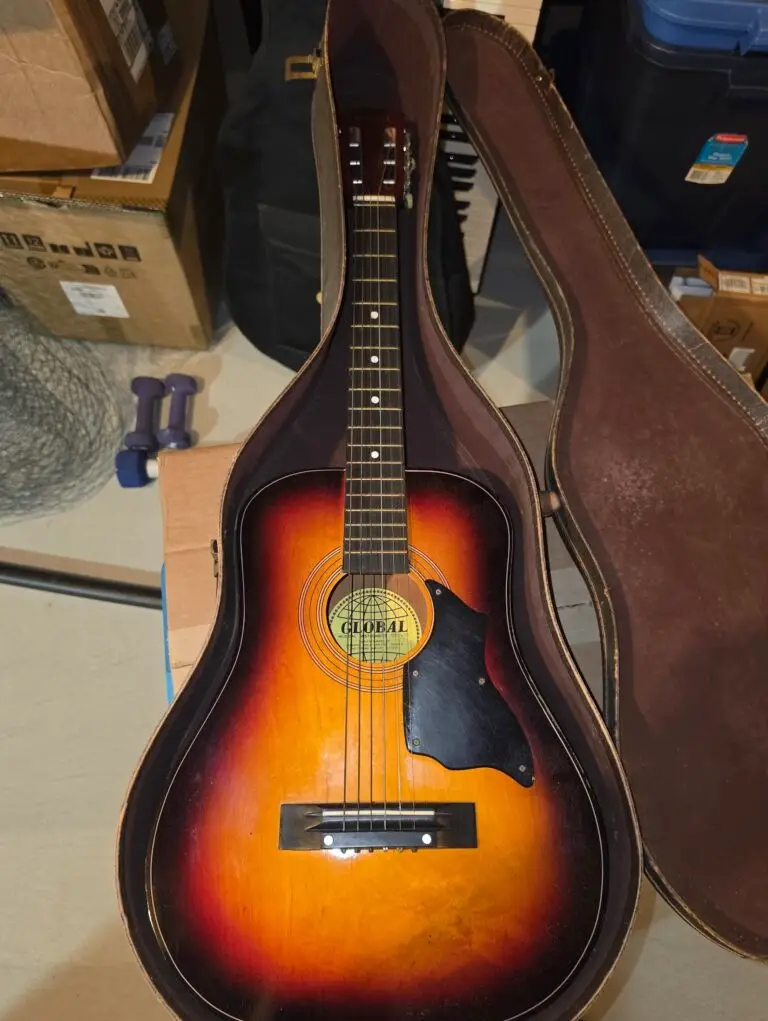
My mom bought this little Global guitar for my sister and me when we were kids, probably hoping one of us would become the next Elvis
Spoiler alert: That did not happen. Instead, I somehow ended up at YugabyteDB, which honestly turned out just fine by me.
Anyway, continuing the current theme of my wife encouraging me to part with “extra baggage” before we move to Dallas, I had to say goodbye to this guitar last night. It may not have launched a rock-and-roll career, but it definitely carried a lot of memories.