Working Around the Missing xml Data Type in YugabyteDB

PostgreSQL includes a native xml data type and a rich set of XML/XPath functions (XMLEXISTS, xpath, xpath_exists, XMLSERIALIZE, XMLTABLE, etc.). YugabyteDB does not support the XML type or XML functions yet, and YugabyteDB Voyager will error out when migrating schemas containing XML.

From the YB Voyager docs:

Workaround: Convert XML data to JSON format for compatibility with YugabyteDB, or handle XML processing at the application layer before inserting data.

Today’s YugabyteDB Tip shows a third, pragmatic option:

  • ✔ Keep your XML data as text
    ✔ Add simple UDFs to extract tags, attributes, and list elements
    ✔ Recreate common XPath-style queries
    ✔ Rewrite every XML function Voyager flags
    ✔ Support XMLTABLE, XMLEXISTS, xpath, XMLSERIALIZE, & xpath_exists equivalents

If you’re lifting a PostgreSQL workload to YugabyteDB and want minimal app rewrites, this approach is fantastic.

Note: You can track XML support in YugabyteDB via Github issue 1043.

🧭 Why XML Fails in Voyager

If Voyager encounters a column like:

				
					payload xml


It will report:

  • XML data type is not supported

  • ● XML functions are not supported

  • ● XMLEXISTS, XPATH, XMLTABLE, XMLSERIALIZE, xpath_exists cannot be translated

Therefore, before ingest, you must:

  • → Replace xml with text in the target schema.
🛠 Step 1: Store XML as text in YugabyteDB

Original PostgreSQL:

				
					create table orders_pg (
  order_id   bigint primary key,
  created_at timestamptz not null,
  payload    xml
);


YugabyteDB target DDL (manual fix before Voyager ingest):

				
					create table orders (
  order_id     bigint primary key,
  created_at   timestamptz not null,
  payload_xml  text   -- store raw XML as text
);


Now we can parse safely using custom UDFs.

🧰 Step 2: Add Lightweight XML UDFs (Regex-based)

These UDFs provide:

  • Tag value extraction

  • Attribute extraction

  • Multiple-tag extraction (replaces XMLTABLE)

  • Tag existence checks

  • XPath-like path existence checks

1. Extract a tag’s inner text

				
					create or replace function xml_tag_text(p_xml text, p_tag text)
returns text
language plpgsql
immutable
strict
as $$
declare
  v_match text[];
begin
  -- <tag ...>VALUE</tag>
  -- Capture groups:
  --   1 = tag name
  --   2 = inner text (up to next '<')
  v_match := regexp_match(
               p_xml,
               '<(' || p_tag || ')(?![A-Za-z0-9_:-])[^>]*>([^<]*)</\1>',
               's'
             );

  if v_match is null then
    return null;
  end if;

  return v_match[2];
end;
$$;


2. Extract all repeated elements (like XMLTABLE)

				
					create or replace function xml_tag_text_all(p_xml text, p_tag text)
returns setof text
language sql
immutable
strict
as $$
  select m[2]
  from regexp_matches(
         p_xml,
         '<(' || p_tag || ')(?![A-Za-z0-9_:-])[^>]*>([^<]*)</\1>',
         'g'   -- g = global (multiple matches)
       ) as m;
$$;


3. Extract an attribute value

				
					create or replace function xml_attr_value(
  p_xml  text,
  p_tag  text,
  p_attr text
)
returns text
language plpgsql
immutable
strict
as $$
declare
  v_match   text[];
begin
  -- <tag ... attr="VALUE" ...>
  -- Capture groups:
  --   1 = tag name
  --   2 = attribute value
  v_match := regexp_match(
               p_xml,
               '<(' || p_tag || ')(?![A-Za-z0-9_:-])[^>]*\s' ||
                 p_attr || '="([^"]*)"',
               's'
             );

  if v_match is null then
    return null;
  end if;

  return v_match[2];
end;
$$;


4. Check whether a tag exists

				
					create or replace function xml_has_tag(p_xml text, p_tag text)
returns boolean
language sql
immutable
strict
as $$
  select regexp_match(
           p_xml,
           '<(' || p_tag || ')(?![A-Za-z0-9_:-])[^>]*>',
           's'
         ) is not null;
$$;


5. XPath-like function: “does this path exist?”

Handles patterns like:

				
					/AccountMerge/Organization/TargetOrgId/text()


					create or replace function xml_path_exists(p_xml text, p_path text)
returns boolean
language plpgsql
immutable
strict
as $$
declare
  clean_path text;
  parts      text[];
  last_tag   text;
begin
  -- Strip trailing '/text()' if present
  clean_path := regexp_replace(p_path, '/text\\(\\)$', '');

  -- Split by '/'
  parts := regexp_split_to_array(clean_path, '/');

  -- Last non-empty component is treated as tag name
  last_tag := parts[array_length(parts, 1)];

  if last_tag is null or last_tag = '' then
    return false;
  end if;

  return xml_has_tag(p_xml, last_tag);
end;
$$;
				
			
🔍 Step 3: Querying XML Stored as Text

Example XML:

				
					<order id="123">
  <customer>Jim</customer>
  <items>
    <item>Widget</item>
    <item>Gadget</item>
  </items>
  <total currency="USD">42.50</total>
</order>


Example usage:

				
					CREATE TABLE orders (id INT PRIMARY KEY, payload_xml TEXT);

INSERT INTO orders (id, payload_xml) VALUES (
   1,
   '<order id="123"><customer>Jim</customer><items><item>Widget</item><item>Gadget</item></items><total currency="USD">42.50</total></order>'
  );

SELECT
  xml_attr_value(payload_xml, 'order', 'id')            AS order_id,
  xml_tag_text(payload_xml, 'customer')                 AS customer,
  xml_tag_text_all(payload_xml, 'item')                 AS items,
  xml_tag_text(payload_xml, 'total')::numeric           AS total,
  xml_attr_value(payload_xml, 'total', 'currency')      AS currency
FROM orders;


Example output:

				
					yugabyte=# CREATE TABLE orders (id INT PRIMARY KEY, payload_xml TEXT);
CREATE TABLE

yugabyte=# INSERT INTO orders (id, payload_xml) VALUES (
yugabyte(#    1,
yugabyte(#    '<order id="123"><customer>Jim</customer><items><item>Widget</item><item>Gadget</item></items><total currency="USD">42.50</total></order>'
yugabyte(#   );
INSERT 0 1

yugabyte=# SELECT
yugabyte-#   xml_attr_value(payload_xml, 'order', 'id')            AS order_id,
yugabyte-#   xml_tag_text(payload_xml, 'customer')                 AS customer,
yugabyte-#   xml_tag_text_all(payload_xml, 'item')                 AS items,
yugabyte-#   xml_tag_text(payload_xml, 'total')::numeric           AS total,
yugabyte-#   xml_attr_value(payload_xml, 'total', 'currency')      AS currency
yugabyte-# FROM orders;
 order_id | customer | items  | total | currency
----------+----------+--------+-------+----------
 123      | Jim      | Widget | 42.50 | USD
 123      | Jim      | Gadget | 42.50 | USD
(2 rows)
				
			
💡 Bonus Tip: Create Indexable Generated Columns

Example:

				
					alter table orders
  add customer_name text generated always as (xml_tag_text(payload_xml, 'customer')) stored;

create index on orders(customer_name);
				
			
⚠️ Caveats

These helper functions are intentionally lightweight. They are designed to make XML payloads usable inside YugabyteDB, especially during migrations, without trying to recreate the full PostgreSQL SQL/XML feature set.

Keep the following in mind:

1. This is not a full XML parser

There is no support for:

  • complex XPath expressions

  • namespaces

  • XML schema validation

  • comments / processing instructions

  • CDATA sections

  • mixed content (<tag>text <b>bold</b> more text</tag>)

If your XML is deeply nested, uses namespaces, or embeds other XML inside text nodes, you’ll need an application-layer solution or an ETL transformation into JSON.

2. These functions assume the XML structure is predictable

The UDFs assume:

  • tags don’t contain nested tags within the values you want to extract

  • tags follow normal XML naming rules

  • XML is well-formed

  • attribute values are quoted with "

This is true for most audit logs, event payloads, config blobs, and operational XML—just not for complex document-style XML.

3. They match tags precisely

The regex patterns are strict:

  • <item> matches

  • <items> does not

  • <itemized> does not

This is intentional to avoid false positives (e.g., matching <items> when requesting <item>).

4. These helpers behave like PostgreSQL set-returning functions

xml_tag_text_all() returns one row per matching tag, just like XMLTABLE or xpath().

If you want a single row per document, wrap it in:

  • ARRAY(SELECT ...)

  • or string_agg(...)

The YugabyteDB Tip examples already demonstrate both patterns.

5. Performance is good for moderate XML sizes

These regex operations are surprisingly fast for:

  • event payloads (1–10 KB)

  • audit logs

  • system metadata

  • small to medium config XML

But if you’re parsing large 100 KB–5 MB XML documents, the proper solution is probably:

  • convert to JSON before ingest, or

  • parse at application/ETL layer

6. This approach is designed for lift-and-shift migrations

The goal is:

  • keep the XML

  • keep the schema

  • keep the SQL logic as close as possible

  • unblock Voyager migrations

This UDF layer provides an excellent bridge until YugabyteDB adds native XML support.

✅ Summary

Although YugabyteDB does not yet support PostgreSQL’s XML data type or its XML/XPath functions, you can still work effectively with XML during and after migrations.

This post demonstrated how to:

  • ✔️ Replace PostgreSQL xml columns with text in Voyager

  • ✔️ Add small, efficient UDFs (xml_tag_text, xml_tag_text_all, xml_attr_value, xml_has_tag, xml_path_exists)

  • ✔️ Support the PostgreSQL XML features that Voyager flags:

    • XMLEXISTS

    • xpath_exists

    • xpath()

    • XMLSERIALIZE

    • XMLTABLE

  • ✔️ Extract tag values, attributes, repeated elements, and XPath-style paths

  • ✔️ Return values either as:

    • ○ one row per XML element,

    • ○ or as arrays/CSV for one row per document

  • ✔️ Create generated columns and indexes on XML-derived values

This lightweight XML layer lets you:

  • ● keep your existing schemas,

  • ● keep your existing SQL logic,

  • ● keep your existing applications,

  • ● while still migrating cleanly onto YugabyteDB.

It’s a practical, elegant workaround until native XML support arrives … and it dramatically simplifies lift-and-shift migrations that would otherwise require rewriting application logic or pre-processing all XML into JSON.

Have Fun!

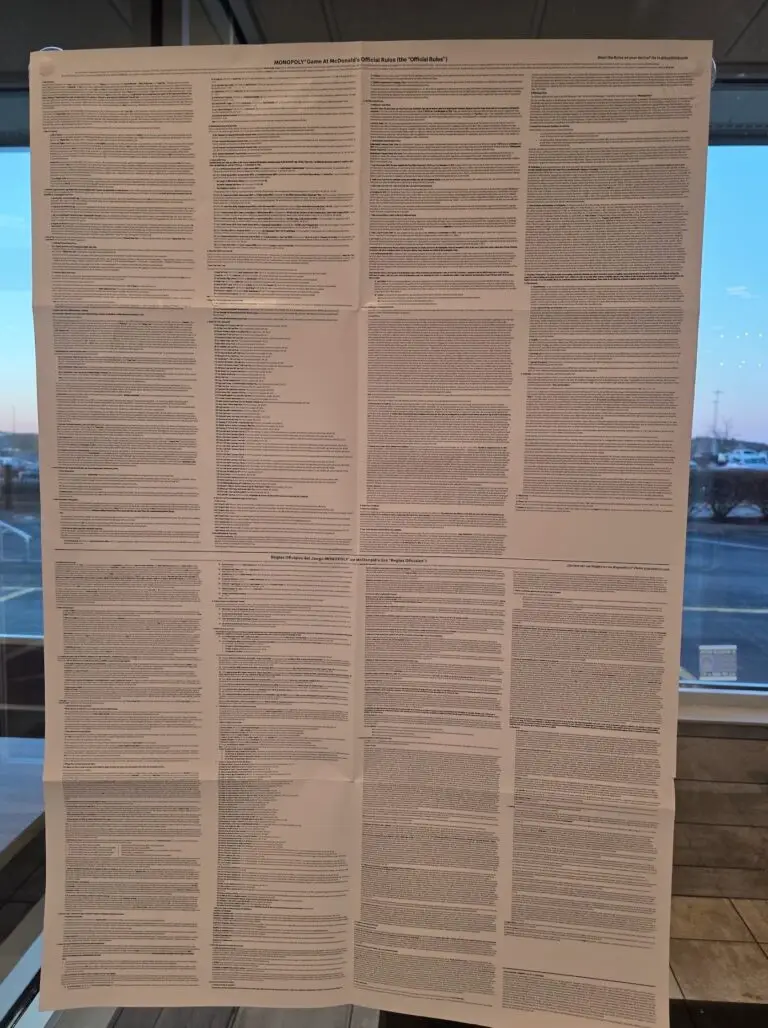
I stopped at McDonald's the other day and remembered how much my son is enjoying their Monopoly promo. Then I noticed they had posted all of the official rules on one of the windows, and I couldn’t help laughing at how ridiculously long the list was!
