Secure by Default: Hardened Images and Non-Root Deployments in YugabyteDB

A production database needs more than availability and performance. It also needs to meet the security expectations of the organization running it.

Starting with YugabyteDB v2026.1.2, YugabyteDB provides STIG-compliant hardened Docker images, and Helm deployments run as a non-root user by default. The release notes describe this hardening as supporting FedRAMP certification efforts.

What does that mean, and why should you care?

🔐 What Is STIG?

STIG stands for Security Technical Implementation Guide.

STIGs provide detailed security configuration requirements based on U.S. Department of Defense policies and controls. They turn broad security goals into concrete requirements for particular products and versions.

Think of a STIG as a security hardening checklist: a defined baseline that helps teams configure and assess technology consistently.

🏛️ What Is FedRAMP?

FedRAMP stands for Federal Risk and Authorization Management Program.

It provides a standardized approach to assessing and authorizing cloud products and services used by U.S. federal agencies, with ongoing monitoring to maintain visibility into their security posture.

For companies building cloud services for government customers, the database is one component of the environment that must satisfy those security requirements.

💡 Hardening supports compliance work.

A hardened database image provides a stronger starting point. It does not, by itself, make an entire deployment or cloud service FedRAMP certified. Assessment still considers the service and its operating environment.

🛡️ Why This Matters to Customers

The practical value extends beyond government workloads:

  • ● Stronger security defaults. Teams begin with hardened images and a non-root execution model.
  • ● Less hardening work to maintain. A vendor-provided baseline can reduce the custom image changes teams otherwise build, test, and carry forward.
  • ● Better alignment with security reviews. Documented hardening gives database, platform, and security teams a concrete starting point for evaluating deployment requirements.
  • ● A clearer path for regulated workloads. Organizations evaluating YugabyteDB can include its container security posture alongside scalability, resilience, and PostgreSQL compatibility.

These are practical implications of the new defaults; the amount of work saved depends on your organization’s requirements.

👤 Why Run as Non-Root?

Running as non-root applies the principle of least privilege: the database process should operate with only the permissions it needs.

A non-root process has fewer privileges inside the container, which can limit what compromised code can change. Container isolation and the surrounding Kubernetes configuration remain part of the security design.

In YugabyteDB v2026.1.2, the default non-root user has UID 10001.

⚠️ Existing Helm Deployments: Review Before Upgrading

For non-OpenShift Helm deployments, an upgrade can change the operating-system user your pods run as:

  • ● If podSecurityContext does not pin a user, pods migrate to the image’s non-root user.
  • ● Disabling podSecurityContext does not preserve root execution; the image itself defaults to non-root.

OpenShift is different: It already enforces non-root execution. The YugabyteDB documentation says not to set or modify podSecurityContext there.

Before upgrading, review volume permissions, custom scripts, and integrations that may assume root access. Test the transition in a representative environment.

If an existing non-OpenShift deployment must retain root execution, the documented override is:

				
					podSecurityContext:
     enabled: true
     runAsUser: 0


Add this to your Helm values file before upgrading.

🎯 The Takeaway

YugabyteDB v2026.1.2 gives container deployments a stronger security starting point through hardened images and non-root defaults.

For existing Helm users, the immediate action is straightforward: review your security context and permission assumptions before upgrading.

Have Fun!

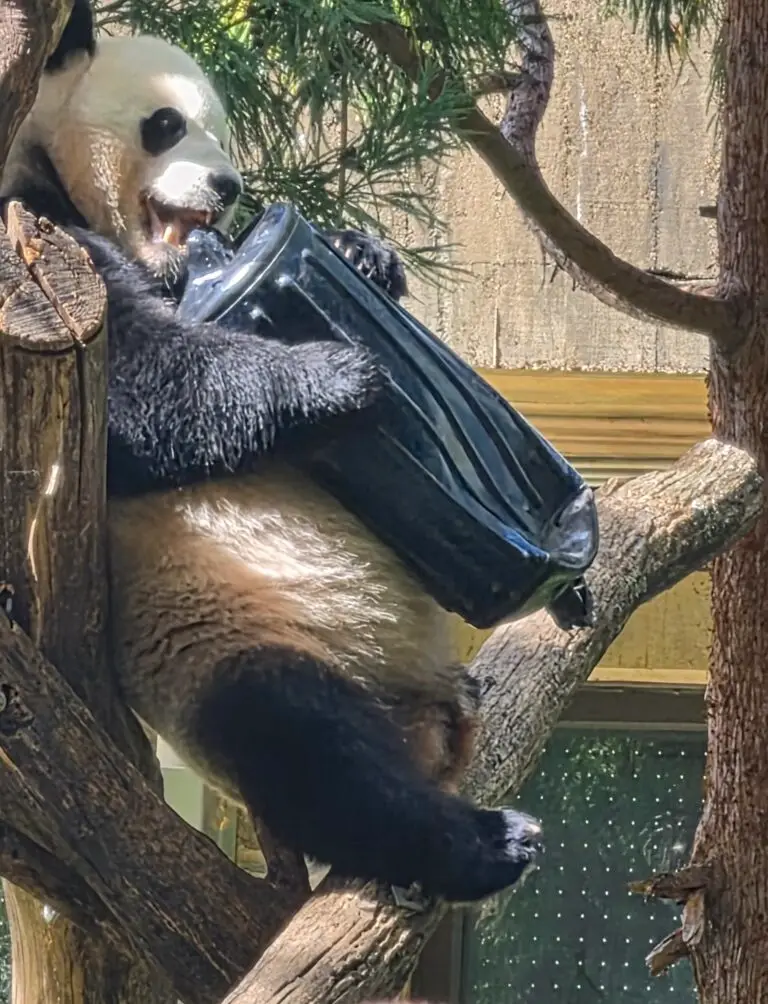
My wife and I mixed a little business with a little relaxation in DC, and caught Bao Li at the Smithsonian’s National Zoo taking a suitcase up a tree and enthusiastically dismantling it. 🐼🧳🌳

Apparently, even pandas have baggage. His just won’t survive the trip. 😂