Proving Encryption in Transit in YugabyteDB 🔐

Enabling encryption in transit is critical for securing your YugabyteDB cluster. It ensures that all communication between nodes (Masters ↔ Masters on port 7100, TServers ↔ TServers on port 9100) is protected with TLS.

Network traffic between nodes (such as TServers and Masters) consists of Protobuf-encoded messages, as seen in tcpdump outputs where .yb. indicates YugabyteDB Protobuf traffic. These messages include consensus updates, heartbeats, and catalog requests.

Because Protobufs are a binary format, most bytes will not be human-readable even without encryption. However, you can still spot occasional readable strings in the cleartext dump (like table names). Once TLS is enabled, those disappear entirely… making this a straightforward way to prove encryption is working.

Today’s tip shows you how to use simple tools like tcpdump and grep to demonstrate the difference between plaintext internode traffic and encrypted traffic.

Step 1: Which interface are we watching?

When YugabyteDB nodes talk to each other, you need to know which network interface carries that traffic. The ss command shows you:

				
					# Show who is listening on the master RPC port (7100)
ss -tanp | grep 7100 | grep LISTEN


Example output on a 3-node cluster started with yugabyted on a single VM:

				
					LISTEN    0      128        127.0.0.3:7100        0.0.0.0:*     users:(("yb-master",pid=1375410,fd=24))
LISTEN    0      128        127.0.0.2:7100        0.0.0.0:*     users:(("yb-master",pid=1375142,fd=24))
LISTEN    0      128        127.0.0.1:7100        0.0.0.0:*     users:(("yb-master",pid=1374810,fd=24))


What this tells us…

  • ● Three masters are running on the same VM. Each one is bound to a different loopback address (127.0.0.1, .2, .3) on port 7100.

  • ● This simulates a 3-node quorum locally.

  • ● Because all masters are using 127.0.0.x, their RPC traffic flows on the loopback interface (lo), not eth0.

👉 That’s why, when capturing internode traffic for this setup, we’ll use tcpdump -i lo.

Step 2: Capture internode traffic

We’ll use tcpdump to observe traffic on port 7100 (master RPC).

				
					sudo tcpdump -i lo -nn port 7100 -s 0 -A
				
			
  • ● Without TLS, you’ll see human-readable strings (service/method names, table names).

  • ● With TLS, you’ll only see TLS handshake + opaque binary… no readable identifiers.

Step 3: A demo with a test table (“lucy”)
Case A: Internode TLS Disabled

1) Start the cluster with:

				
					--use_node_to_node_encryption=false


💡 Tip: If you’re using yugabyted, this is the default when starting without --secure.

2) In one terminal, run:

				
					sudo tcpdump -i lo -nn port 7100 -s 0 -A 2>/dev/null | grep -c lucy


3) In another terminal, create the table:

				
					ysqlsh -h 127.0.0.1 -c "CREATE TABLE lucy(c1 INT PRIMARY KEY) SPLIT INTO 3 TABLETS;"


Example output from each session:

				
					# Terminal 2 session output
CREATE TABLE

# Terminal 1 session output
42


Meaning: the string lucy appeared 42 times in captured packets.

And one representative tcpdump line looks like this:

				
					.yb.master.MasterService..CreateTable.....lucy....


So with TLS disabled, you can literally see table names and RPC calls on the wire.

Case B: Internode TLS Enabled

1) Start the cluster with:

				
					--use_node_to_node_encryption=true
--root_cert_path=/path/ca.crt
--cert_node_filename=/path/node.<id>.crt
--node_private_key_file=/path/node.<id>.key


💡 Tip: If you’re using yugabyted, you don’t need to pass these flags manually. Starting with --secure automatically enables use_node_to_node_encryption=true, along with client-to-node TLS and password authentication. (YugabyteDB Doc page)

2) Repeat the same test:

				
					# Session 1
sudo tcpdump -i lo -nn port 7100 -s 0 -A 2>/dev/null | grep -c lucy

# Session 2
ysqlsh -h 127.0.0.1 -c "CREATE TABLE lucy(c1 INT PRIMARY KEY) SPLIT INTO 3 TABLETS;"


Example output:

				
					# Terminal 2 session output
CREATE TABLE

# Terminal 1 session output
0


This time, the string lucy never shows up. Traffic is encrypted, and you cannot read service names or SQL objects in the packet capture.

Quick rules of thumb
  • If you see human-readable service names or table names (e.g. yb.master.MasterService, lucy) → traffic is unencrypted.

  • If you only see TLS handshakes and opaque data → traffic is encrypted.

This is a really simple, yet effectove,  field check you can run without special tools. 💥

Bonus: Validate with OpenSSL

You can use openssl to confirm that the YB-Master on port 7100 is presenting a valid TLS certificate:

				
					openssl s_client -connect 127.0.0.1:7100 -CAfile ~/yb01/certs/ca.crt </dev/null 2>&1 \
  | grep -E '^(subject=|issuer=|Verify return code|New, TLS|Cipher is)'


Sample output:

				
					subject=O=Yugabyte, CN=127.0.0.1
issuer=O=Yugabyte, CN=Root CA for YugabyteDB
New, TLSv1.3, Cipher is TLS_AES_256_GCM_SHA384
Verify return code: 0 (ok)


This confirms:

  • The certificate subject is the node you connected to (CN=127.0.0.1)

  • The issuer is the cluster’s root CA (CN=Root CA for YugabyteDB)

  • TLS protocol and cipher suite negotiated (TLSv1.3, TLS_AES_256_GCM_SHA384)

  • Certificate validation passed (Verify return code: 0 (ok))

Summary
  • By default, YugabyteDB uses protobuf RPCs for internode communication.

  • Without TLS, tcpdump shows human-readable protobuf strings (like table names).

  • With --secure (or use_node_to_node_encryption=true), all traffic is encrypted… no strings leak.

  • openssl s_client is the cleanest way to prove encryption in transit, showing certs, protocol, cipher, and verification status.

Have Fun!

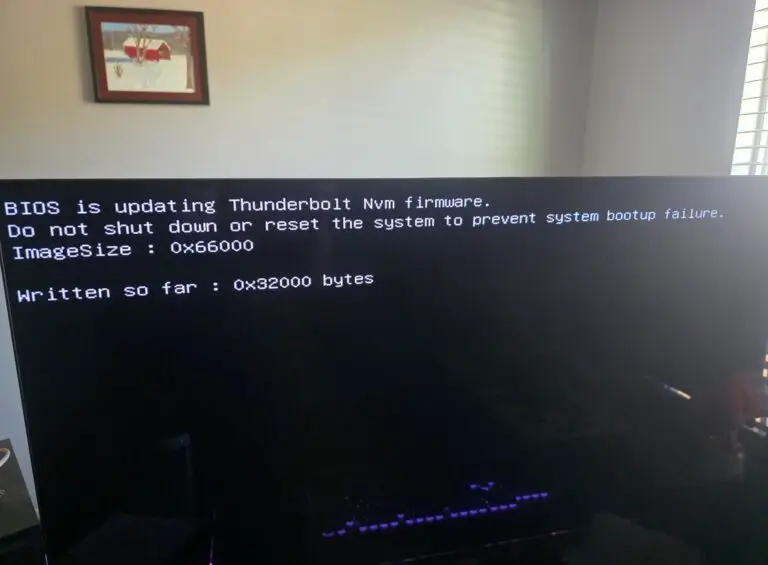
To get Doom: The Dark Ages running on my gaming rig, I had to update my Intel CPU’s microcode with a BIOS upgrade… those upgrades still make me nervous! It worked, but those 12 minutes felt less like The Dark Ages and more like Doom Eternal... staring at a black screen, wondering if I’d just turned my rig into a very expensive brick!