
Enterprise vulnerability scanners are very good at producing lists of CVEs.
The harder questions usually come next:
- ● Does this vulnerability actually apply to YugabyteDB or YugabyteDB Anywhere?
- ● Which component does the CVE belong to?
- ● What version of that component is actually deployed?
- ● And which YugabyteDB or YBA release contains the remediated version?
That last question is particularly important.
A scanner might report:
| CVE | Severity | Fixed In | Library / Component |
|---|---|---|---|
CVE-2024-21626
|
High |
1.1.12
|
github.com/opencontainers/runc
|
CVE-2024-36129
|
High |
0.102.1
|
go.opentelemetry.io/...
|
CVE-2026-39830
|
Critical |
0.52.0
|
golang.org/x/crypto
|
CVE-2026-6473
|
High |
14.23
|
PostgreSQL |
But none of those versions is a YugabyteDB release such as:
2025.2.6.0
or a YBA release such as:
2024.2.11.0
The scanner is reporting the fixed version of the affected component.
The job of the platform or security engineer is to connect that component version back to the YugabyteDB, YBA, operating-system, or runtime release actually being used.
Meet ybcve.sh
The ybcve.sh utility used in this Tip combines public CVE data with YugabyteDB’s published PostgreSQL/YSQL vulnerability information.
ybcve.sh uses both sources to build a more complete view of a vulnerability.
ybcve.sh provides four investigation modes:
| Mode | Purpose |
|---|---|
search |
Search for Yugabyte-related CVEs using NVD and MITRE data. |
supply |
Check Yugabyte’s published PostgreSQL/YSQL CVE applicability and resolution status. |
lookup |
Look up a specific CVE using MITRE/NVD, including PostgreSQL, Go modules, runtimes, and other third-party components. |
monitor |
Compare current Yugabyte-related CVE results with a saved baseline to detect new or changed records. |
Get the ybcve.sh Script
Show complete ybcve.sh source
					#!/bin/bash

# ==============================================================================
# YugabyteDB Vulnerability Toolkit (ybcve.sh)
# Uses public internet APIs to track YugabyteDB, Supply Chain, and Go CVEs.
# ==============================================================================

# Defaults
MODE="search"
OUTPUT="text"
SHORT_FORMAT=false
MONITOR_FILE=".ybcve_state.txt"
KEYWORD="Yugabyte"
SUPPLY_CHAIN_ID=""
CVE_ID_PAT=""
TITLE_PAT=""
DESC_PAT=""

# Glob to Regex helper for jq
glob_to_regex() {
    local p="$1"
    p="${p//./\\.}"
    p="${p//\*/.*}"
    p="${p//\?/.}"
    echo "$p"
}

show_help() {
    cat << EOF
YugabyteDB Vulnerability Toolkit (ybcve.sh)

DESCRIPTION:
  A CLI tool to dynamically search, export, and monitor YugabyteDB, upstream
  PostgreSQL supply-chain vulnerabilities, and third-party library CVEs.

USAGE:
  $0 [MODE] [OPTIONS]

MODES:
  -m search        (Default) Search MITRE/NVD for Yugabyte native CVEs.
  -m supply        Scrape Yugabyte Docs & MITRE for upstream Postgres CVE status.
  -m lookup        Direct MITRE/NVD lookup for any CVE ID (Go libs, runc, etc.).
  -m monitor       Run as a cron-job to track changes against baseline state.

FORMATTING OPTIONS:
  -s, --short      Display compact output (CVE ID, Title, and Description only).
  -o text          (Default) Formatted terminal output.
  -o csv           Export data as comma-separated values (for Search mode).

EXAMPLES:
  $0 -m search -k "YugabyteDB"
  $0 -m supply -c CVE-2019-10130
  $0 -m lookup -c CVE-2024-10979
  $0 -m lookup -c CVE-2020-14349
EOF
}

# Parse Arguments
while [[ "$#" -gt 0 ]]; do
    case $1 in
        -h|--help) show_help; exit 0 ;;
        -m|--mode) MODE="$2"; shift ;;
        -s|--short) SHORT_FORMAT=true ;;
        -o|--output) OUTPUT="$2"; shift ;;
        -k|--keyword) KEYWORD="$2"; shift ;;
        -i|--id) CVE_ID_PAT=$(glob_to_regex "$2"); shift ;;
        -t|--title) TITLE_PAT=$(glob_to_regex "$2"); shift ;;
        -d|--desc) DESC_PAT=$(glob_to_regex "$2"); shift ;;
        -c|--cve) SUPPLY_CHAIN_ID="$2"; shift ;;
        *) echo "Unknown parameter: $1"; exit 1 ;;
    esac
    shift
done

# ==============================================================================
# FUNCTION: Direct Single CVE Lookup (Mode: lookup)
# ==============================================================================
run_lookup() {
    if [ -z "$SUPPLY_CHAIN_ID" ]; then
        echo "Error: Lookup mode requires a CVE ID (-c). e.g., -c CVE-2024-10979"
        exit 1
    fi

    echo "Fetching direct details from MITRE for $SUPPLY_CHAIN_ID..."
    echo "--------------------------------------------------------------------------------"

    JSON=$(curl -s "https://cveawg.mitre.org/api/cve/$SUPPLY_CHAIN_ID")

    if [ -z "$JSON" ] || [ "$JSON" == "null" ] || echo "$JSON" | grep -q "error"; then
        echo "CVE ID '$SUPPLY_CHAIN_ID' not found on MITRE API."
        exit 1
    fi

    if [ "$SHORT_FORMAT" = true ]; then
        echo "$JSON" | jq -r '
          "CVE ID       : \(.cveMetadata.cveId)
Title        : \(.containers.cna.title // "No Title Provided")
Description  : \(.containers.cna.descriptions[0].value | gsub("[\n\t\r]+"; " "))"
        ' | fold -s -w 100
    else
        # 1. Fetch MITRE CVSS metrics
        METRICS_MITRE=$(echo "$JSON" | jq -r '
          def get_score:
            [
              .containers.cna.metrics[]? |
              (.cvssV4_0.baseScore, .cvssV3_1.baseScore, .cvssV3_0.baseScore, .other.content.score, (to_entries[]? | .value.baseScore?)) |
              select(. != null)
            ][0] // "N/A";

          def get_vector:
            [
              .containers.cna.metrics[]? |
              (.cvssV4_0.vectorString, .cvssV3_1.vectorString, .cvssV3_0.vectorString, (to_entries[]? | .value.vectorString?)) |
              select(. != null)
            ][0] // "N/A";

          "\(get_score)|\(get_vector)"
        ' 2>/dev/null)

        IFS='|' read -r SCORE VECTOR <<< "$METRICS_MITRE"

        # 2. Fallback to NVD if MITRE CVSS is N/A
        if [ "$SCORE" == "N/A" ]; then
            NVD_JSON=$(curl -s "https://services.nvd.nist.gov/rest/json/cves/2.0?cveId=$SUPPLY_CHAIN_ID")
            NVD_METRICS=$(echo "$NVD_JSON" | jq -r '
                .vulnerabilities[0].cve.metrics |
                [(.cvssMetricV31[]?.cvssData, .cvssMetricV30[]?.cvssData, .cvssMetricV2[]?.cvssData)] |
                .[0] |
                "\(.baseScore // "N/A")|\(.vectorString // "N/A")"
            ' 2>/dev/null)

            if [ -n "$NVD_METRICS" ] && [ "$NVD_METRICS" != "N/A|N/A" ]; then
                IFS='|' read -r SCORE VECTOR <<< "$NVD_METRICS"
            fi
        fi

        # 3. Extract description string and flatten linebreaks
        RAW_DESC=$(echo "$JSON" | jq -r '(.containers.cna.descriptions[0].value // "")' 2>/dev/null)
        DESC_FLAT=$(echo "$RAW_DESC" | tr '\n' ' ' | tr '\r' ' ' | sed -E 's/[[:space:]]+/ /g')

        # 4. Reliable sentence-isolated version token extractor
        INFERRED_FIX=""
        RAW_TOKENS=""

        # Isolate sentence with resolution verbs
        FIX_SENTENCE=$(echo "$DESC_FLAT" | perl -pe 's/(?<!\b[vV]\d)(?<!\b\d)\.(?=\s+[A-Z]|\s*$)/\n/g' | grep -iE '(patched|fixed|resolved|updated|released|includes patches|fixes)' | head -n 1)

        if [ -n "$FIX_SENTENCE" ]; then
            RAW_TOKENS=$(echo "$FIX_SENTENCE" | grep -ioP 'v?[0-9]+\.[0-9]+(\.[0-9]+)*[a-zA-Z0-9\.\-]*')
        fi

        # Boundary Matcher Fallback: Matches "before X.Y", "prior to X.Y", "thru X.Y", "up to X.Y"
        if [ -z "$RAW_TOKENS" ] && echo "$DESC_FLAT" | grep -iqE '(before|prior to|thru|through|up to) [0-9]'; then
            RAW_TOKENS=$(echo "$DESC_FLAT" | grep -ioP '(before|prior to|thru|through|up to)\s+(version|versions|v)?\s*\K[0-9]+\.[0-9]+(\.[0-9]+)*')
        fi

        # Process and format tokens cleanly into a comma-space separated list
        if [ -n "$RAW_TOKENS" ]; then
            INFERRED_FIX=$(echo "$RAW_TOKENS" | sed -E 's/[\.,]+$//' | awk 'NF' | sort -u -V | awk 'NR>1{printf ", "} {printf "%s", $0} END{print ""}')
        fi

        # 5. Render final output with Severity rating calculated
        echo "$JSON" | jq -r --arg score "$SCORE" --arg vector "$VECTOR" --arg inferred "$INFERRED_FIX" '
          def get_severity:
            if $score == "N/A" then "N/A"
            else
              ($score | tonumber) as $s |
              if $s >= 9.0 then "Critical"
              elif $s >= 7.0 then "High"
              elif $s >= 4.0 then "Medium"
              elif $s > 0.0 then "Low"
              else "None"
              end
            end;

          def get_fixes:
            if .containers.cna.affected then
              [
                .containers.cna.affected[]?.versions[]? |
                select(.status == "unaffected" or .lessThan) |
                (.lessThan // .version // empty | tostring)
              ] | unique | join(", ")
            else
              ""
            end;

          def get_product:
            [.containers.cna.affected[]?.product // empty] | unique | join(", ") | if . == "" then "Unknown" else . end;

          (get_fixes) as $raw_fix |
          (
            if $raw_fix != "" then
              $raw_fix
            elif $inferred != "" then
              "N/A (inferred " + $inferred + " from description)"
            else
              "N/A (check description for details)"
            end
          ) as $final_fix |

          "CVE ID       : \(.cveMetadata.cveId)
Title        : \(.containers.cna.title // "No Title Provided")
Product/Lib  : \(get_product)
Fixed In     : \($final_fix)
Severity     : \(get_severity)
CVSS Score   : \($score)
Vector       : \($vector)
Published    : \(.cveMetadata.datePublished // "N/A" | .[0:10])
Description  : \(.containers.cna.descriptions[0].value | gsub("[\n\t\r]+"; " "))"
        ' | fold -s -w 100
    fi

    echo "--------------------------------------------------------------------------------"
}

# ==============================================================================
# FUNCTION: Supply Chain Scraper & Enricher (Mode: supply)
# ==============================================================================
run_supply_chain() {
    if [ -n "$SUPPLY_CHAIN_ID" ]; then
        echo "Scraping Yugabyte Docs for upstream status of: $SUPPLY_CHAIN_ID..."
    else
        echo "Scraping Yugabyte Docs for ALL upstream supply-chain vulnerabilities..."
    fi

    URL="https://docs.yugabyte.com/stable/secure/vulnerability-disclosure-policy/"
    HTML=$(curl -sL "$URL")

    if [ -z "$HTML" ]; then
        echo "Error: Unable to fetch Yugabyte documentation page."
        exit 1
    fi

    echo "--------------------------------------------------------------------------------"

    # Pure POSIX AWK Stream Parser: Handles multiline <tr>/<td> tags
    PARSED_ROWS=$(echo "$HTML" | awk '
        BEGIN { IGNORECASE=1; in_table=0; row="" }
        /<table/ { in_table=1 }
        /<\/table>/ { in_table=0 }
        in_table {
            gsub(/[\r\n]+/, " ");
            row = row " " $0;
            if (row ~ /<\/tr>/) {
                print row;
                row = "";
            }
        }' | awk -F'</t[dh]>' '{
            cve = ""; prod = "PostgreSQL (YSQL)"; status = "";

            for (i=1; i<=NF; i++) {
                gsub(/<[^>]*>/, " ", $i);
                gsub(/^[ \t\r\n]+|[ \t\r\n]+$/, "", $i);
                gsub(/[ \t\r\n]+/, " ", $i);

                if ($i ~ /CVE-[0-9]{4}-[0-9]+/) {
                    match($i, /CVE-[0-9]{4}-[0-9]+/);
                    cve = substr($i, RSTART, RLENGTH);

                    if (i > 1) {
                        prod_candidate = $(i-1);
                        if (prod_candidate != "" && prod_candidate !~ /CVE-/) {
                            prod = prod_candidate;
                        }
                    }

                    for (j=i+1; j<=NF; j++) {
                        gsub(/<[^>]*>/, " ", $j);
                        gsub(/^[ \t\r\n]+|[ \t\r\n]+$/, "", $j);
                        gsub(/[ \t\r\n]+/, " ", $j);
                        if ($j != "") status = (status == "") ? $j : status " " $j;
                    }
                    break;
                }
            }
            if (cve != "") {
                printf "%s|%s|%s\n", cve, prod, status;
            }
        }')

    if [ -n "$SUPPLY_CHAIN_ID" ]; then
        MATCHES=$(echo "$PARSED_ROWS" | grep -i "$SUPPLY_CHAIN_ID")
    else
        MATCHES="$PARSED_ROWS"
    fi

    if [ -z "$MATCHES" ]; then
        echo "No matching supply-chain entries found in Yugabyte docs."
    else
        echo "$MATCHES" | while IFS='|' read -r cve prod status; do
            [ -z "$cve" ] && continue

            MITRE_JSON=$(curl -s "https://cveawg.mitre.org/api/cve/$cve")

            if [ "$SHORT_FORMAT" = true ]; then
                DESC=$(echo "$MITRE_JSON" | jq -r '(.containers.cna.descriptions[0].value // "No description available.") | gsub("[\n\t\r]+"; " ")' 2>/dev/null)
                printf "CVE ID          : %-18s\n" "$cve"
                printf "Product         : %-25s\n" "$prod"
                printf "Yugabyte Status : %-25s\n" "$status"
                echo "Description     : $DESC"
            else
                METRICS_MITRE=$(echo "$MITRE_JSON" | jq -r '
                  def get_score:
                    [
                      .containers.cna.metrics[]? |
                      (.cvssV4_0.baseScore, .cvssV3_1.baseScore, .cvssV3_0.baseScore, .other.content.score, (to_entries[]? | .value.baseScore?)) |
                      select(. != null)
                    ][0] // "N/A";

                  def get_vector:
                    [
                      .containers.cna.metrics[]? |
                      (.cvssV4_0.vectorString, .cvssV3_1.vectorString, .cvssV3_0.vectorString, (to_entries[]? | .value.vectorString?)) |
                      select(. != null)
                    ][0] // "N/A";

                  "\(get_score)|\(get_vector)"
                ' 2>/dev/null)

                IFS='|' read -r SCORE VECTOR <<< "$METRICS_MITRE"

                if [ "$SCORE" == "N/A" ]; then
                    NVD_JSON=$(curl -s "https://services.nvd.nist.gov/rest/json/cves/2.0?cveId=$cve")
                    NVD_METRICS=$(echo "$NVD_JSON" | jq -r '
                        .vulnerabilities[0].cve.metrics |
                        [(.cvssMetricV31[]?.cvssData, .cvssMetricV30[]?.cvssData, .cvssMetricV2[]?.cvssData)] |
                        .[0] |
                        "\(.baseScore // "N/A")|\(.vectorString // "N/A")"
                    ' 2>/dev/null)

                    if [ -n "$NVD_METRICS" ] && [ "$NVD_METRICS" != "N/A|N/A" ]; then
                        IFS='|' read -r SCORE VECTOR <<< "$NVD_METRICS"
                    fi
                fi

                # Calculate Severity rating
                SEVERITY="N/A"
                if [ "$SCORE" != "N/A" ]; then
                    SEVERITY=$(awk -v s="$SCORE" 'BEGIN {
                        if (s >= 9.0) print "Critical";
                        else if (s >= 7.0) print "High";
                        else if (s >= 4.0) print "Medium";
                        else if (s > 0.0) print "Low";
                        else print "None";
                    }')
                fi

                PUB_DATE=$(echo "$MITRE_JSON" | jq -r '(.cveMetadata.datePublished // "N/A") | .[0:10]' 2>/dev/null)
                DESC=$(echo "$MITRE_JSON" | jq -r '(.containers.cna.descriptions[0].value // "No description available.") | gsub("[\n\t\r]+"; " ")' 2>/dev/null)

                printf "CVE ID          : %-18s\n" "$cve"
                printf "Product         : %-25s\n" "$prod"
                printf "Yugabyte Status : %-25s\n" "$status"
                printf "Severity        : %-25s\n" "$SEVERITY"
                printf "CVSS Score      : %-25s\n" "$SCORE"
                printf "Vector          : %-25s\n" "$VECTOR"
                printf "Published       : %-25s\n" "$PUB_DATE"
                echo "Description     : $DESC"
            fi
        done | fold -s -w 100
    fi

    echo "--------------------------------------------------------------------------------"
}

# ==============================================================================
# FUNCTION: API Search & Export (Mode: search)
# ==============================================================================
run_search() {
    local SILENT=$1
    ENCODED_KEYWORD="${KEYWORD// /%20}"

    if [ "$SILENT" != "true" ]; then
        echo "Querying NVD API for seed: '$KEYWORD'..." >&2
    fi

    CVE_IDS=$(curl -s "https://services.nvd.nist.gov/rest/json/cves/2.0?keywordSearch=${ENCODED_KEYWORD}" | jq -r '.vulnerabilities[]?.cve.id' 2>/dev/null)

    if [ -z "$CVE_IDS" ]; then
        if [ "$SILENT" != "true" ]; then echo "No CVEs found or rate limited." >&2; fi
        exit 0
    fi

    if [ "$OUTPUT" == "csv" ] && [ "$SILENT" != "true" ]; then
        echo '"CVE_ID","Title","CVSS","Vector","Published","Description"'
    elif [ "$SILENT" != "true" ]; then
        echo "Fetching records from MITRE..." >&2
        echo "--------------------------------------------------------------------------------" >&2
    fi

    for ID in $CVE_IDS; do
        JSON=$(curl -s "https://cveawg.mitre.org/api/cve/$ID")
        if [ -z "$JSON" ] || [ "$JSON" == "null" ] || echo "$JSON" | grep -q "error"; then continue; fi

        JQ_CONDITIONS="true"
        if [ -n "$CVE_ID_PAT" ]; then JQ_CONDITIONS="$JQ_CONDITIONS and (.cveMetadata.cveId | test(\"$CVE_ID_PAT\"; \"i\"))"; fi
        if [ -n "$TITLE_PAT" ]; then JQ_CONDITIONS="$JQ_CONDITIONS and ((.containers.cna.title // \"\") | test(\"$TITLE_PAT\"; \"i\"))"; fi
        if [ -n "$DESC_PAT" ]; then JQ_CONDITIONS="$JQ_CONDITIONS and ((.containers.cna.descriptions[0].value // \"\") | test(\"$DESC_PAT\"; \"i\"))"; fi

        if [ "$OUTPUT" == "csv" ]; then
            echo "$JSON" | jq -r "
                select($JQ_CONDITIONS) |
                [
                  .cveMetadata.cveId,
                  (.containers.cna.title // \"No Title Provided\"),
                  ([.containers.cna.metrics[]? | to_entries[]? | .value.baseScore? | select(. != null)][0] // \"N/A\"),
                  ([.containers.cna.metrics[]? | to_entries[]? | .value.vectorString? | select(. != null)][0] // \"N/A\"),
                  ((.cveMetadata.datePublished // \"N/A\") | .[0:10]),
                  (.containers.cna.descriptions[0].value | gsub(\"[\n\t\r\"]+\"; \" \"))
                ] | @csv
            " 2>/dev/null
        else
            if [ "$SHORT_FORMAT" = true ]; then
                OUT=$(echo "$JSON" | jq -r '
                    select('"$JQ_CONDITIONS"') |
"CVE ID      : \(.cveMetadata.cveId)
Title       : \(.containers.cna.title // "No Title Provided")
Description : \(.containers.cna.descriptions[0].value | gsub("[\n\t\r]+"; " "))"
                ' 2>/dev/null)
            else
                OUT=$(echo "$JSON" | jq -r '
                    def get_score:
                      [.containers.cna.metrics[]? | to_entries[]? | .value.baseScore? | select(. != null)][0] // "N/A";
                    def get_vector:
                      [.containers.cna.metrics[]? | to_entries[]? | .value.vectorString? | select(. != null)][0] // "N/A";
                    def get_versions:
                      if .containers.cna.affected then
                        (.containers.cna.affected[] |
                          "  Product  : \(.product // "Unknown")\n  Affected : " +
                          ([.versions[]? | select(.status == "affected") | "\(.version)" + (if .lessThan then " (up to \(.lessThan))" else "" end)] | join(", ") | if . == "" then "None listed" else . end) + "\n  Fixed    : " +
                          ([.versions[]? | select(.status == "unaffected") | "\(.version)"] | join(", ") | if . == "" then "None listed" else . end)
                        )
                      else
                        "  No version data provided."
                      end;

                    select('"$JQ_CONDITIONS"') |
"CVE ID       : \(.cveMetadata.cveId)
Title        : \(.containers.cna.title // "No Title Provided")
CVSS Score   : \(get_score)
Vector       : \(get_vector)
Published    : \(.cveMetadata.datePublished // "N/A" | .[0:10])
Version Info :
\(get_versions)
Description  : \(.containers.cna.descriptions[0].value | gsub("[\n\t\r]+"; " "))"
                ' 2>/dev/null)
            fi

            if [ -n "$OUT" ]; then
                echo "$OUT" | fold -s -w 100
                echo "--------------------------------------------------------------------------------"
            fi
        fi
        sleep 0.2
    done
}

# ==============================================================================
# FUNCTION: Monitor & Alerting (Mode: monitor)
# ==============================================================================
run_monitor() {
    echo "Running Monitor Mode..."
    CURRENT_STATE=$(OUTPUT="csv" run_search "true")

    if [ ! -f "$MONITOR_FILE" ]; then
        echo "No previous state found. Creating baseline at $MONITOR_FILE..."
        echo "$CURRENT_STATE" > "$MONITOR_FILE"
        exit 0
    fi

    NEW_CVES=$(echo "$CURRENT_STATE" | grep -F -x -v -f "$MONITOR_FILE")

    if [ -n "$NEW_CVES" ] && [ "$NEW_CVES" != '"CVE_ID","Title","CVSS","Vector","Published","Description"' ]; then
        echo "⚠️ ALERT: New or updated Yugabyte CVEs detected!"
        echo "$NEW_CVES"
        echo "$CURRENT_STATE" > "$MONITOR_FILE"
    else
        echo "No new CVEs detected since last run."
    fi
}

# ==============================================================================
# MAIN ROUTING
# ==============================================================================
case $MODE in
    search) run_search "false" ;;
    supply) run_supply_chain ;;
    lookup) run_lookup ;;
    monitor) run_monitor ;;
    *) echo "Invalid mode. Use -h for help."; exit 1 ;;
esac
curl, jq, perl, grep, awk,
sed, and sort. It also requires outbound Internet access to query public
MITRE/NVD APIs and Yugabyte documentation. After saving the script, make it executable with
chmod +x ybcve.sh, then run ./ybcve.sh -h to view the available modes and options.
Start by Identifying the Component
Before asking:
- Which Yugabyte release fixes this?
first ask:
- What component does this CVE belong to?
That determines the investigation path.
| Finding | Investigation Path |
|---|---|
| Native YugabyteDB / YBA CVE | search + Yugabyte security tracker + release notes |
| PostgreSQL CVE against YSQL | supply + Yugabyte PostgreSQL/YSQL CVE tracker |
| PostgreSQL used internally by YBA | lookup + actual YBA PostgreSQL version + YBA release notes |
| Go module | lookup + go version -m against the relevant binary |
| Prometheus bundled with YBA |
lookup + yba-ctl status + YBA release notes
|
| OS / container runtime | lookup + inspect the installed OS/runtime package |
lookup and supply Answer Different Questions
This distinction is central to using the toolkit correctly.
lookup asks:
- What does the upstream CVE record say?
For example:
./ybcve.sh -m lookup -c CVE-2020-14349
returns:
					Fetching direct details from MITRE for CVE-2020-14349...
--------------------------------------------------------------------------------
CVE ID       : CVE-2020-14349
Title        : No Title Provided
Product/Lib  : PostgreSQL
Fixed In     : N/A (inferred 10.14, 11.9, 12.4 from description)
Severity     : High
CVSS Score   : 7.1
Vector       : CVSS:3.1/AV:N/AC:H/PR:L/UI:R/S:U/C:H/I:H/A:H
Published    : 2020-08-24
Description  : It was found that PostgreSQL versions before 12.4, before 11.9 and before 10.14 did
not properly sanitize the search_path during logical replication. An authenticated attacker could
use this flaw in an attack similar to CVE-2018-1058, in order to execute arbitrary SQL command in
the context of the user used for replication.
--------------------------------------------------------------------------------
The current script can extract candidate remediation versions from wording such as before, prior to, through, or up to when the CVE record does not provide a clean structured fixed-version field.
Now run:
./ybcve.sh -m supply -c CVE-2020-14349
The result is:
					Scraping Yugabyte Docs for upstream status of: CVE-2020-14349...
--------------------------------------------------------------------------------
CVE ID          : CVE-2020-14349
Product         : PostgreSQL (YSQL)
Yugabyte Status : Not applicable: YugabyteDB does not use logical replication.
Severity        : High
CVSS Score      : 7.1
Vector          : CVSS:3.1/AV:N/AC:H/PR:L/UI:R/S:U/C:H/I:H/A:H
Published       : 2020-08-24
Description     : It was found that PostgreSQL versions before 12.4, before 11.9 and before 10.14
did not properly sanitize the search_path during logical replication. An authenticated attacker
could use this flaw in an attack similar to CVE-2018-1058, in order to execute arbitrary SQL
command in the context of the user used for replication.
--------------------------------------------------------------------------------
That second answer comes from YugabyteDB’s published PostgreSQL/YSQL supply-chain tracker.
The same distinction can be seen with CVE-2024-10979.
Upstream:
./ybcve.sh -m lookup -c CVE-2024-10979
returns:
					Fetching direct details from MITRE for CVE-2024-10979...
--------------------------------------------------------------------------------
CVE ID       : CVE-2024-10979
Title        : PostgreSQL PL/Perl environment variable changes execute arbitrary code
Product/Lib  : PostgreSQL
Fixed In     : 12.21, 13.17, 14.14, 15.9, 16.5, 17.1
Severity     : High
CVSS Score   : 8.8
Vector       : CVSS:3.1/AV:N/AC:L/PR:L/UI:N/S:U/C:H/I:H/A:H
Published    : 2024-11-14
Description  : Incorrect control of environment variables in PostgreSQL PL/Perl allows an
unprivileged database user to change sensitive process environment variables (e.g. PATH).  That
often suffices to enable arbitrary code execution, even if the attacker lacks a database server
operating system user.  Versions before PostgreSQL 17.1, 16.5, 15.9, 14.14, 13.17, and 12.21 are
affected.
--------------------------------------------------------------------------------
But:
./ybcve.sh -m supply -c CVE-2024-10979
returns:
					Scraping Yugabyte Docs for upstream status of: CVE-2024-10979...
--------------------------------------------------------------------------------
CVE ID          : CVE-2024-10979
Product         : PostgreSQL (YSQL)
Yugabyte Status : Not applicable: PL/Perl extension is not included in installation.
Severity        : High
CVSS Score      : 8.8
Vector          : CVSS:3.1/AV:N/AC:L/PR:L/UI:N/S:U/C:H/I:H/A:H
Published       : 2024-11-14
Description     : Incorrect control of environment variables in PostgreSQL PL/Perl allows an
unprivileged database user to change sensitive process environment variables (e.g. PATH).  That
often suffices to enable arbitrary code execution, even if the attacker lacks a database server
operating system user.  Versions before PostgreSQL 17.1, 16.5, 15.9, 14.14, 13.17, and 12.21 are
affected.
--------------------------------------------------------------------------------
Yugabyte publishes that exact status in its YSQL supply-chain table.
-m lookup answers what upstream says about the CVE. -m supply answers what Yugabyte publishes about that PostgreSQL CVE’s applicability to YSQL. A CVE can be valid upstream and still be explicitly marked Not applicable to YugabyteDB.
What Does “No Matching Supply-Chain Entry” Mean?
This is equally important.
Consider:
./ybcve.sh -m supply -c CVE-2026-6473
Result:
					Scraping Yugabyte Docs for upstream status of: CVE-2026-6473...
--------------------------------------------------------------------------------
No matching supply-chain entries found in Yugabyte docs.
--------------------------------------------------------------------------------
That does not mean:
- CVE does not affect YugabyteDB
and it does not mean:
- CVE affects YugabyteDB
It means only that the CVE was not found in the specific Yugabyte PostgreSQL/YSQL table that supply parses.
The supply implementation finds CVE rows in the Yugabyte documentation and returns the associated Yugabyte status; if it finds no matching row, it reports no match rather than inventing an applicability determination.
-m supply mode checks YugabyteDB’s published PostgreSQL/YSQL supply-chain tracker. If a CVE is not found there, the toolkit is only saying that Yugabyte does not currently list that CVE in that specific table. It does not prove that the CVE is applicable or not applicable to YBA, the host OS, a Go dependency, a container runtime, or another component.
Example 1: PostgreSQL CVE – But Which PostgreSQL?
Consider this real scanner finding:
					CVE-2026-6473
Severity : High
Fixed In : PostgreSQL 14.23
Run:
./ybcve.sh -m lookup -c CVE-2026-6473
Result:
					--------------------------------------------------------------------------------
CVE ID       : CVE-2026-6473
Title        : PostgreSQL server undersizes allocations, via integer wraparound
Product/Lib  : PostgreSQL
Fixed In     : 14.23, 15.18, 16.14, 17.10, 18.4
Severity     : High
CVSS Score   : 8.8
Vector       : CVSS:3.1/AV:N/AC:L/PR:L/UI:N/S:U/C:H/I:H/A:H
Published    : 2026-05-14
Description  : Integer wraparound in multiple PostgreSQL server features allows an unprivileged
database user to cause the server to undersize an allocation and write out-of-bounds.  This may
execute arbitrary code as the operating system user running the database.  In applications that
pass gigabyte-scale user inputs to the relevant database functions, the application input provider
may achieve a segmentation fault.  Versions before PostgreSQL 18.4, 17.10, 16.14, 15.18, and 14.23
are affected.
--------------------------------------------------------------------------------
Now try:
./ybcve.sh -m supply -c CVE-2026-6473
Result:
					Scraping Yugabyte Docs for upstream status of: CVE-2026-6473...
--------------------------------------------------------------------------------
No matching supply-chain entries found in Yugabyte docs.
--------------------------------------------------------------------------------
So what do we know?
- ● We know the upstream PostgreSQL remediation versions.
- ● We do not yet know which PostgreSQL component the scanner identified.
That matters because there can be two completely different PostgreSQL contexts around a YugabyteDB Anywhere deployment.
PostgreSQL in the YSQL Query Layer
YSQL reuses a fork of the PostgreSQL query layer.
YugabyteDB v2024.2 and earlier are PostgreSQL 11-based, while v2025.1 and later use the PostgreSQL 15-based YSQL query layer.
That does not make YSQL identical to a stock PostgreSQL installation.
For upstream PostgreSQL vulnerabilities against YSQL, Yugabyte’s published applicability information is the important vendor-specific source.
PostgreSQL Used by YBA
YugabyteDB Anywhere also uses PostgreSQL for its own platform data.
That is a separate database from the PostgreSQL-derived YSQL layer.
If a scanner identifies the PostgreSQL used by YBA, the analysis becomes:
CVE-2026-6473
↓
PostgreSQL fix = 14.23
↓
What PostgreSQL version is this YBA installation running?
↓
Which YBA release contains PostgreSQL 14.23?
Check What YBA Is Actually Running
For a YBA Installer deployment:
sudo yba-ctl status
The official YBA Installer documentation states that status reports the versions of YBA services, including the PostgreSQL service.
This command prints the exact PostgreSQL version:
sudo yba-ctl status | awk -F'|' '/^[[:space:]]*postgres[[:space:]]*\|/ {gsub(/[[:space:]]/, "", $2); print $2}'
Example:
					[ec2-user@10.0.0.1 ~]$ sudo yba-ctl status | awk -F'|' '/^[[:space:]]*postgres[[:space:]]*\|/ {gsub(/[[:space:]]/, "", $2); print $2}'
14.23
Map the Component Back to a YBA Release
Once you know the upstream fixed version, the next step is to determine which YBA release includes that component version.
YBA release notes often document PostgreSQL server upgrades explicitly. Looking across the release history shows how the PostgreSQL version bundled with YBA has evolved over time.
For example, the documented progression includes PostgreSQL 14.4, 14.6, 14.9, 14.11, 14.12, 14.13, 14.17, 14.19+, 14.22, and 14.23 across different YBA release trains and installation methods.
| YBA Release | PostgreSQL Server | Scope / Release Note |
|---|---|---|
2.14.6.0 |
14.4 |
Upgraded PostgreSQL to 14.4 for Kubernetes installations. |
2.14.7.0 |
14.6 |
Bumped YugabyteDB Anywhere PostgreSQL to 14.6. |
2.15.3.0 |
14.4 |
Upgraded PostgreSQL to 14.4 for Replicated installations. |
2.16.4.0 |
14.6 |
Backported the YBA PostgreSQL 14.6 upgrade to the v2.16 branch. |
2.17.1.0 |
14.4 |
PostgreSQL 14.4 upgrade included in the v2.17 branch. |
2.17.2.0 |
14.6 |
Bumped YBA PostgreSQL to 14.6. |
2.20.10.0 |
14.17 |
Upgraded PostgreSQL to 14.17 to address critical security vulnerabilities. |
2.21.0.0 |
14.9 |
Updated YBA Installer to use PostgreSQL 14.9. |
2.21.1.0 |
14.11 |
Upgraded YBA Installer to PostgreSQL 14.11. |
2.23.0.0 |
14.12 |
Upgraded PostgreSQL from 14.9 to 14.12. |
2.25.0.0 |
14.13 |
Upgraded PostgreSQL to 14.13 in YBA and YBA Helm charts. |
2.25.2.0 |
14.17 |
Upgraded PostgreSQL to 14.17 to address critical security vulnerabilities. |
2024.1.2.0 |
14.12 |
Upgraded PostgreSQL from 14.9 to 14.12; change was also backported across older maintained branches. |
2024.1.4.0 |
14.12 / 14.13 |
Platform PostgreSQL moved to 14.12; YBA Helm charts moved to 14.13. |
2024.1.6.0 |
14.17 |
Upgraded PostgreSQL to 14.17 to address critical security vulnerabilities. |
2024.2.0.0 |
14.12 |
Upgraded Platform PostgreSQL from 14.9 to 14.12. |
2024.2.3.0 |
14.17 |
Upgraded PostgreSQL to 14.17 to address critical security vulnerabilities. |
2024.2.6.0 |
14.19+ |
Upgraded PostgreSQL to 14.19+ in YBA to address critical CVEs. |
2024.2.11.0 |
14.23 |
Upgraded PostgreSQL to 14.23; also updated Prometheus for security fixes. |
2025.1.0.0 |
14.17 |
Upgraded PostgreSQL to 14.17 to address critical security vulnerabilities. |
2025.1.2.0 |
14.19+ |
Upgraded PostgreSQL to 14.19+ and refreshed the PostgreSQL image used in charts. |
2025.1.4.0 |
14.22 |
Upgraded PostgreSQL to 14.22, fixing multiple CVEs. |
2025.2.3.0 |
14.22 |
Upgraded PostgreSQL to 14.22, fixing multiple CVEs. |
2026.1.1.1
|
14.23
|
Updated YBA PostgreSQL to 14.23. |
For CVE triage, this history helps translate an upstream component version into a likely YBA release boundary.
For example, the lookup for:
./ybcve.sh -m lookup -c CVE-2026-6473
shows:
					Product/Lib  : PostgreSQL
Fixed In     : 14.23, 15.18, 16.14, 17.10, 18.4
The release-note history shows a documented YBA PostgreSQL upgrade to:
PostgreSQL 14.23
in
YBA 2024.2.11.0
That gives us an important correlation:
CVE-2026-6473
↓
PostgreSQL 14 branch fixed in 14.23
↓
YBA release notes document PostgreSQL 14.23 in 2024.2.11.0
YBA 2024.2.11.0 is a documented release containing PostgreSQL 14.23, the upstream PostgreSQL 14 maintenance release identified as fixed for CVE-2026-6473.
Example 2: Go Module CVE – golang.org/x/crypto
Another real finding is:
					CVE-2026-39830
Library  : golang.org/x/crypto
Fixed In : 0.52.0
Severity : Critical
Run:
./ybcve.sh -m lookup -c CVE-2026-39830
Result:
					Fetching direct details from MITRE for CVE-2026-39830...
--------------------------------------------------------------------------------
CVE ID       : CVE-2026-39830
Title        : Invoking  client can cause server deadlock on unexpected responses in
golang.org/x/crypto/ssh
Product/Lib  : golang.org/x/crypto/ssh
Fixed In     : 0.52.0
Severity     : Critical
CVSS Score   : 9.1
Vector       : CVSS:3.1/AV:N/AC:L/PR:N/UI:N/S:U/C:H/I:N/A:H
Published    : 2026-05-22
Description  : A malicious SSH peer could send unsolicited global request responses to fill an
internal buffer, blocking the connection's read loop. The blocked goroutine could not be released
by calling Close(), resulting in a resource leak per connection. Unsolicited global responses are
now discarded.
--------------------------------------------------------------------------------
Now try:
./ybcve.sh -m supply -c CVE-2026-39830
Results:
					Scraping Yugabyte Docs for upstream status of: CVE-2026-39830...
--------------------------------------------------------------------------------
No matching supply-chain entries found in Yugabyte docs.
--------------------------------------------------------------------------------
That is not surprising.
This is a Go-module CVE, not a PostgreSQL/YSQL supply-chain entry.
The next question becomes:
- Which version of
golang.org/x/cryptois actually embedded in the relevant YBA binary?
Reuse the Go Binary Audit Workflow
This is where the earlier YugabyteDB Tip, Audit Go Toolchain and Module Versions in YugabyteDB Anywhere (YBA), fits perfectly.
Use:
go version -m /path/to/yba/binary
or narrow the result:
					go version -m /path/to/yba/binary \
  | grep 'golang.org/x/crypto'
You can then compare:
					CVE fixed in       : v0.52.0
Embedded in binary : v0.xx.x
The CVE lookup tells you the target remediation version.
The Go audit tells you the version actually compiled into the executable.
ybcve.sh identifies the CVE and upstream fixed module version. go version -m identifies the module version actually embedded in a Go binary. Together they provide much stronger evidence than the Go compiler version alone.
This can be especially efficient when a scan contains several findings for the same module.
For example, if multiple CVEs reference:
golang.org/x/crypto
determine the deployed x/crypto module version once, then compare that version to the fixed-version boundary for each CVE.
Example 3: Prometheus CVEs in YBA
Prometheus is another bundled component that can show up in vulnerability scans of YugabyteDB Anywhere.
YBA includes an embedded Prometheus instance for storing and serving monitoring metrics, so a scanner may report Prometheus CVEs separately from YugabyteDB, PostgreSQL, or Go-module findings.
A scanner might report findings such as:
| CVE | Severity | Fixed In | Component |
|---|---|---|---|
CVE-2026-42151
|
High |
0.311.3
|
github.com/prometheus/prometheus
|
CVE-2026-42154
|
High |
0.305.2
|
github.com/prometheus/prometheus
|
As with PostgreSQL and Go-module findings, the scanner’s Fixed In value is the Prometheus component version, not the YBA release.
Start by looking up the CVE:
./ybcve.sh -m lookup -c CVE-2026-42151
Output:
					Fetching direct details from MITRE for CVE-2026-42151...
--------------------------------------------------------------------------------
CVE ID       : CVE-2026-42151
Title        : Prometheus Azure AD remote write OAuth client secret exposed via config API
Product/Lib  : prometheus
Fixed In     : N/A (inferred 3.5.3, 3.11.3 from description)
Severity     : High
CVSS Score   : 7.5
Vector       : CVSS:3.1/AV:N/AC:L/PR:N/UI:N/S:U/C:H/I:N/A:N
Published    : 2026-05-04
Description  : Prometheus is an open-source monitoring system and time series database. Prior to
versions 3.5.3 and 3.11.3, the client_secret field in the Azure AD remote write OAuth configuration
(storage/remote/azuread) was typed as string instead of Secret. Prometheus redacts fields of type
Secret when serving the configuration via the /-/config HTTP API endpoint. Because the field was a
plain string, the Azure OAuth client secret was exposed in plaintext to any user or process with
access to that endpoint. This issue has been patched in versions 3.5.3 and 3.11.3.
--------------------------------------------------------------------------------
Then determine which Prometheus version is actually installed with the YBA deployment.
For a YBA Installer deployment:
sudo yba-ctl status
The services table includes the Prometheus version alongside other YBA-managed services.
If you only want the Prometheus version, you can extract it directly:
sudo yba-ctl status | grep 'prometheus' | awk -F'|' '{gsub(/ /,"",$2); print $2}'
That gives you the two values needed for the comparison:
- ● CVE fixed in : Prometheus X.Y.Z
- ● YBA currently uses : Prometheus A.B.C
The next step is to use the YBA release notes to identify when the required Prometheus version was introduced.
For example, the release notes document several security-driven Prometheus upgrades:
| YBA Release | Prometheus Version | Scope / Release Note |
|---|---|---|
2024.2.3.0
|
3.2.1
|
Upgraded Prometheus in YBA Installer and Helm charts to 3.2.1 to enhance security. |
2024.2.10.0
|
3.12.0
|
Upgraded Prometheus to 3.12.0 to address critical and high-severity CVEs. |
2024.2.11.0
|
3.13.1
|
Updated Prometheus to 3.13.1 to address security issues, including UI cross-site scripting and secure handling of HTTP client credentials. |
2025.1.2.0
|
3.5.0
|
Upgraded YBA Prometheus and Helm charts to 3.5.0, addressing more than 10 vulnerabilities. |
2025.2.3.0
|
3.10.0
|
Upgraded Prometheus to 3.10.0 to address multiple security vulnerabilities. |
2025.2.6.0
|
3.12.0
|
Upgraded Prometheus to 3.12.0 to fix critical and high-severity CVEs. |
YBA 2024.2.10.0 explicitly upgraded Prometheus to 3.12.0 for critical and high-severity CVEs, while YBA 2025.2.6.0 made the same security-driven upgrade in that release train. YBA 2025.2.3.0 documents an earlier move to Prometheus 3.10.0, and the 2025.1 series documents the 3.5.0 security upgrade.
yba-ctl status to identify the Prometheus version actually installed, then use YBA release notes to determine which YBA release introduced the required Prometheus version.
v3.y.z releases using
corresponding Go-module tags in the form v0.3y.z. For example,
github.com/prometheus/prometheus v0.311.3 corresponds to
Prometheus v3.11.3. Confirm that the scanner finding refers to
the Prometheus component, then translate the module version before comparing
it with the Prometheus server version reported by YBA.
Example 4: runc – A Different Layer Again
Another finding:
					CVE-2024-21626
Library  : github.com/opencontainers/runc
Fixed In : 1.1.12
Run:
./ybcve.sh -m lookup -c CVE-2024-21626
Result:
					--------------------------------------------------------------------------------
CVE ID       : CVE-2024-21626
Title        : runc container breakout through process.cwd trickery and leaked fds
Product/Lib  : runc
Fixed In     : N/A (inferred 1.1.12 from description)
Severity     : High
CVSS Score   : 8.6
Vector       : CVSS:3.1/AV:L/AC:L/PR:N/UI:R/S:C/C:H/I:H/A:H
Published    : 2024-01-31
Description  : runc is a CLI tool for spawning and running containers on Linux according to the OCI
specification. In runc 1.1.11 and earlier, due to an internal file descriptor leak, an attacker
could cause a newly-spawned container process (from runc exec) to have a working directory in the
host filesystem namespace, allowing for a container escape by giving access to the host filesystem
("attack 2"). The same attack could be used by a malicious image to allow a container process to
gain access to the host filesystem through runc run ("attack 1"). Variants of attacks 1 and 2 could
be also be used to overwrite semi-arbitrary host binaries, allowing for complete container escapes
("attack 3a" and "attack 3b"). runc 1.1.12 includes patches for this issue.
--------------------------------------------------------------------------------
The CVE record states that runc 1.1.12 includes the patches.
Again:
./ybcve.sh -m supply -c CVE-2024-21626
Result:
					Scraping Yugabyte Docs for upstream status of: CVE-2024-21626...
--------------------------------------------------------------------------------
No matching supply-chain entries found in Yugabyte docs.
--------------------------------------------------------------------------------
That makes sense because this is not a PostgreSQL/YSQL CVE.
Instead, determine whether runc is present in the affected environment and which version is installed:
runc --version
or on an RPM-based system:
rpm -q runc
A host vulnerability scanner may report packages that belong to the operating system or container runtime rather than to YBA itself.
Example 5: One CVE, Multiple Module Versions
CVE-2024-36129 provides another useful example.
Run:
./ybcve.sh -m lookup -c CVE-2024-36129
The output:
					Fetching direct details from MITRE for CVE-2024-36129...
--------------------------------------------------------------------------------
CVE ID       : CVE-2024-36129
Title        : OpenTelemetry Collector has a Denial of Service via Zip/Decompression Bomb sent over
HTTP or gRPC
Product/Lib  : opentelemetry-collector
Fixed In     : N/A (inferred 0.102.1 from description)
Severity     : High
CVSS Score   : 8.2
Vector       : CVSS:3.1/AV:N/AC:L/PR:N/UI:N/S:U/C:N/I:L/A:H
Published    : 2024-06-05
Description  : The OpenTelemetry Collector offers a vendor-agnostic implementation on how to
receive, process and export telemetry data. An unsafe decompression vulnerability allows
unauthenticated attackers to crash the collector via excessive memory consumption. OTel Collector
version 0.102.1 fixes this issue.  It is also fixed in the confighttp module version 0.102.0 and
configgrpc module version 0.102.1.
--------------------------------------------------------------------------------
But the description provides more detail:
					OpenTelemetry Collector  : 0.102.1
confighttp               : 0.102.0
configgrpc               : 0.102.1
This illustrates why the exact component matters.
A scanner could report one of the individual Go modules rather than the Collector as a whole.
CVE-2024-36129 shows why inferred versions should be treated as investigation leads. The Collector is fixed in 0.102.1, while the CVE description separately identifies confighttp 0.102.0 and configgrpc 0.102.1. Compare the exact module identified by the scanner with the module actually deployed.
About Fixed In: N/A (inferred ...)
The script intentionally distinguishes structured fixed-version data from versions inferred from CVE text.
For example:
Fixed In : N/A (inferred 1.1.12 from description)
does not mean MITRE published a formal fixed_version=1.1.12 field.
It means the script found remediation language in the description and extracted a likely version.
The lookup implementation first checks structured affected-version data and then uses description parsing as a fallback.
inferred was extracted heuristically from the CVE description. Treat it as a strong lead for investigation, not as authoritative proof of remediation. Validate it against the upstream advisory, Yugabyte release notes, or the component vendor’s security documentation before closing a security finding.
Build an Evidence Chain
The evidence chain depends on which component the scanner identified. PostgreSQL, Prometheus, Go modules, and host/runtime components each require a slightly different path from upstream CVE to deployed version and ultimately to the appropriate YBA, YugabyteDB, or operating-system release.
For YBA PostgreSQL:
CVE
|
v
lookup
|
v
Fixed PostgreSQL version
|
v
yba-ctl status
|
v
Actual PostgreSQL version
|
v
YBA release notes
|
v
YBA release containing remediation
For YSQL PostgreSQL:
PostgreSQL CVE
|
v
lookup
|
v
Upstream PostgreSQL details
|
v
supply
|
v
Yugabyte-published YSQL applicability / resolution
For a Go module:
CVE
|
v
lookup
|
v
Fixed Go module version
|
v
go version -m
|
v
Embedded module version
|
v
YBA release comparison
For Prometheus bundled with YBA:
Prometheus CVE
|
v
lookup
|
v
Fixed Prometheus version
|
v
yba-ctl status
|
v
Prometheus version actually installed
|
v
YBA release notes
|
v
YBA release containing the required Prometheus version
|
v
Verify remediation
Verify Before and After an Upgrade
Once you have identified the affected component and the version containing the fix, capture the actual deployed component version before the upgrade and compare it with the version after the upgrade.
This provides much stronger remediation evidence than simply recording that YBA was upgraded.
Reuse the component-specific checks described earlier in this Tip:
- ● YBA-managed services such as PostgreSQL and Prometheus →
yba-ctl status - ● Go modules →
go version -m - ● OS/runtime packages → the appropriate package or runtime version command
- ● YSQL/PostgreSQL applicability → Yugabyte’s published supply-chain status
Example:
| Component | Before Upgrade | After Upgrade | Fixed / Required Version |
|---|---|---|---|
| PostgreSQL |
<version>
|
<version>
|
<fixed version>
|
| Prometheus |
<version>
|
<version>
|
<fixed version>
|
| Go module |
<embedded version>
|
<embedded version>
|
<fixed module version>
|
| OS / Runtime |
<version>
|
<version>
|
<fixed version>
|
The goal is to be able to show a simple evidence chain such as:
					CVE                  : CVE-2026-6473
Affected component   : PostgreSQL
Fixed upstream       : 14.23
Before upgrade       : Captured installed version
After upgrade        : Captured installed version
Expected remediation : 14.23 or later
Result               : Verify after upgrade
Or:
					CVE                  : CVE-2026-39830
Affected component   : golang.org/x/crypto
Fixed upstream       : v0.52.0
Before upgrade       : <embedded version>
After upgrade        : v0.52.0
Result               : Fixed module version verified
The objective is simple: show that the affected component changed from a vulnerable version to a version that satisfies the remediation requirement.
Monitor for New Yugabyte-Related CVEs
The toolkit also provides lightweight change detection:
./ybcve.sh -m monitor
On the first run it creates a baseline:
.ybcve_state.txt
Future runs compare the current Yugabyte-related CVE search output to that baseline and report new or changed records.
Because ybcve.sh runs at the operating-system level, it can be scheduled with the host’s standard cron service for periodic CVE monitoring.
0 7 * * * /opt/tools/ybcve.sh -m monitor >> /var/log/ybcve-monitor.log 2>&1
ybcve.sh is a host-level shell script, so schedule it with the operating system’s standard cron service. pg_cron is designed for scheduling SQL work inside PostgreSQL and is not needed for this workflow.
A Practical Investigation Checklist
When a scanner reports a CVE against a YugabyteDB or YBA environment, work through the finding in this order:
| Step | What to Do | Why It Matters |
|---|---|---|
| 1 | Identify the affected component. Determine whether the finding applies to YSQL, PostgreSQL used by YBA for platform data, Prometheus, a Go module, an OS/runtime package, or another bundled dependency. | The component determines the correct investigation and remediation path. |
| 2 | Look up the upstream CVE. Use ybcve.sh to review the affected versions, fixed versions, severity, and remediation information. | This establishes the upstream remediation boundary. |
| 3 | Check Yugabyte-specific applicability when appropriate. For PostgreSQL/YSQL CVEs, check Yugabyte’s published supply-chain status. | An upstream PostgreSQL CVE may not apply to YSQL because the affected feature or extension may not be used or included. |
| 4 | Do not treat a missing supply-chain entry as a vulnerability decision. | “No matching supply-chain entry” means only that the CVE is not listed in that specific Yugabyte-published table. |
| 5 | Determine the version actually deployed. Inspect the affected component using the appropriate method described earlier in this Tip. | Do not assume a component version from the YBA release number or rely only on scanner inventory. |
| 6 | Compare the deployed version with the fixed version. | Determine whether the deployed component is below, at, or above the upstream remediation boundary. |
| 7 | Map the fixed component version back to the appropriate release. | The remediation may require a YugabyteDB release, YBA release, OS update, container/runtime update, or another dependency change. |
| 8 | Verify after remediation. Re-run the same component checks and retain the before-and-after versions. | This provides evidence that the vulnerable component was actually remediated. |
A completed investigation should be able to answer these questions clearly:
| Question | Evidence |
|---|---|
| What component is affected? | Scanner finding + upstream CVE |
| What version is actually deployed? | Component inventory from the running environment |
| What version contains the fix? | MITRE, NVD, upstream advisory, or vendor documentation |
| Which release delivers that version? | YugabyteDB/YBA release notes or OS/runtime release information |
| Was remediation verified? | Before-and-after component version evidence |
Final Takeaway
A vulnerability scanner gives you an important starting point, but the scanner’s Fixed In value usually identifies the fixed version of an individual component… not the YugabyteDB or YBA release you should install.
For example:
					PostgreSQL 14.23
Prometheus 3.x
golang.org/x/crypto v0.52.0
runc 1.1.12
are component versions.
The real investigation is therefore:
Scanner finding
↓
Identify the affected component
↓
Determine the upstream fixed version
↓
Determine the version actually deployed
↓
Map that version to YB / YBA / OS / runtime
↓
Upgrade or patch
↓
Verify the component version after remediation
That distinction is especially important with YBA because one deployment can contain several independently versioned pieces of software:
- ● YBA itself
- ● PostgreSQL used by YBA for platform data
- ● Prometheus
- ● Go binaries and embedded modules
- ● Operating-system and runtime packages
- ● Other bundled dependencies
A single YBA version number does not tell you the security state of every one of those components.
ybcve.sh helps with the first half of that problem by correlating CVE data and Yugabyte-published applicability information.
The component checks and release-note mappings complete the second half by showing what is actually installed and where the fix becomes available.
Together, they turn a scanner finding from:
- “Critical CVE detected.”
into something much more actionable:
- “This CVE affects this component, this is the version currently deployed, this is the upstream fixed version, this release contains that version, and the remediation was verified after the upgrade.”
Have Fun!
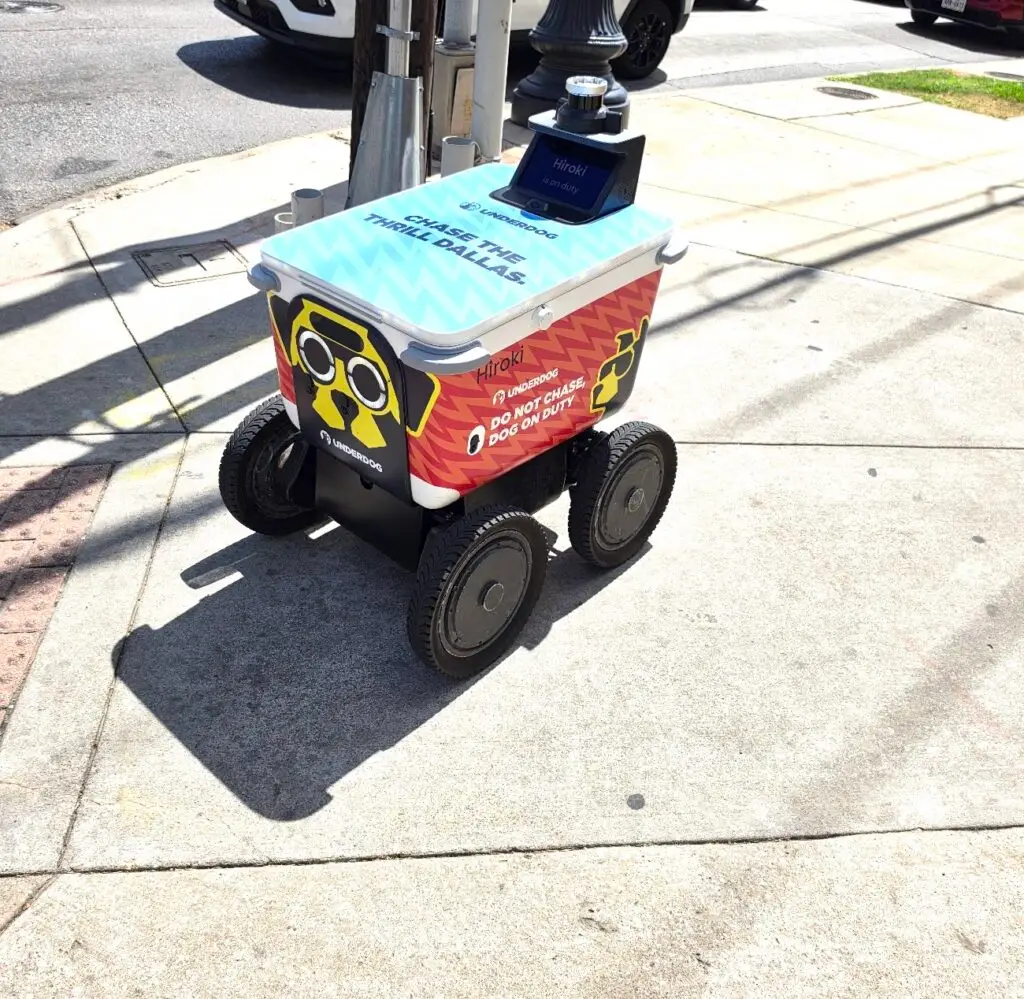
I was walking around the West Village in Dallas when I ran into this little guy. 🤖
At first I thought he was just following me down the sidewalk… then apparently we were both waiting to cross the street.
After a few minutes, he started beeping. I looked at the little LCD screen and realized he was asking ME to push the crosswalk button for him. 😂 So much for autonomous delivery.
Weird, hilarious… and apparently I’m now providing roadside assistance to robots. 🤣