Keep LDAP Bind Passwords Out of YSQL HBA Rules

After sharing the blog One LDAP Login for YugabyteDB Anywhere and Your Database on LinkedIn, a reader asked how to protect the LDAP bind-account password instead of storing it as plain text in the database’s HBA configuration.

The blog demonstrates search + bind with ldapbinddn and ldapbindpasswd. This tip goes a step further: use YSQL‘s special YSQL_LDAP_BIND_PWD_ENV marker so the HBA rule contains a reference rather than the search-account password.

And let’s make one point clear from the start: the search-account password is not the user’s login password.

Different Accounts, Different Passwords

This demo uses distinct credentials for each purpose:

AccountPurposeDemo password
YSQL administrator: yugabyteCreates database roles and checks configuration.Generated by yugabyted --secure; read from its credentials file.
LDAP directory administrator: cn=admin,dc=yugabyte,dc=comCreates the lab’s LDAP entries. YSQL does not use this account.DirectoryAdmin-Demo-91
LDAP search account: cn=ysql-reader,dc=yugabyte,dc=comFinds users in LDAP; has read-only directory access.LookupOnly-Demo-42
LDAP user: teslaLogs in to YSQL as Tesla.TeslaLogin-Demo-73
LDAP user: einsteinLogs in to YSQL as Einstein.EinsteinLogin-Demo-84

These are intentionally public, disposable lab passwords. Use independently generated credentials and approved secret provisioning in production.

I considered using the ForumSys public directory for this demo, but it uses the same published password for every sample user and the shared search account. That would make it harder to show which password is used at each stage. Instead, we will use a simple local LDAP server with different passwords for the search account and each user.

How One Search Account Supports Many Users

Search + bind has two stages:

  • 1. Search: YSQL binds as ysql-reader, using the password supplied through YSQL_LDAP_BIND_PWD_ENV, and finds the directory entry matching the requested username.
  • 2. Authenticate: YSQL binds again as the located user, using the password that user entered when connecting.

Tesla and Einstein share the directory lookup service. They do not share a login password.

πŸ’‘ Which password goes in the variable? Only LookupOnly-Demo-42, the search-account password, goes into YSQL_LDAP_BIND_PWD_ENV. Tesla and Einstein supply their own passwords at the YSQL login prompt.

The Demo Environment

Use a disposable Linux lab with Docker, Bash, and YugabyteDB client/server binaries on PATH. YugabyteDB runs on the host; Docker runs LDAP and publishes it only on host loopback port 1389.

Start with a fresh local YugabyteDB installation and an unused LDAP demo container name.

πŸ” Two connections, two TLS settings: The demo encrypts client-to-YSQL traffic. Its local LDAP fixture uses unencrypted LDAP bound to host loopback for this experiment. In production, configure StartTLS or LDAPS with certificate verification for the LDAP connection too. yugabyted --secure does not configure that separate connection.

1. Create a Local LDAP Directory

This pins the older osixia/openldap:1.5.0 interface used by the example; it is a disposable lab fixture, not a production image recommendation. Its configuration differs from newer image releases.

				
					docker run -d --name yb-ldap-demo \
  -p 127.0.0.1:1389:389 \
  -e LDAP_ORGANISATION='YSQL LDAP Demo' \
  -e LDAP_DOMAIN='yugabyte.com' \
  -e LDAP_ADMIN_PASSWORD='DirectoryAdmin-Demo-91' \
  -e LDAP_READONLY_USER=true \
  -e LDAP_READONLY_USER_USERNAME='ysql-reader' \
  -e LDAP_READONLY_USER_PASSWORD='LookupOnly-Demo-42' \
  -e LDAP_TLS=false \
  osixia/openldap:1.5.0


The image creates the base DN, directory administrator, and read-only search account. Wait for its LDAP service to finish initializing; check progress with:

				
					docker logs yb-ldap-demo


The fixture passwords are visible in its Docker configuration. That is acceptable only for these disposable examples.

2. Add Two Users with Different Passwords

Create a lab LDIF file:

				
					cat > ldap-demo-users.ldif <<'LDIF'
dn: ou=people,dc=yugabyte,dc=com
objectClass: organizationalUnit
ou: people

dn: uid=tesla,ou=people,dc=yugabyte,dc=com
objectClass: inetOrgPerson
cn: Nikola Tesla
sn: Tesla
uid: tesla
userPassword: TeslaLogin-Demo-73

dn: uid=einstein,ou=people,dc=yugabyte,dc=com
objectClass: inetOrgPerson
cn: Albert Einstein
sn: Einstein
uid: einstein
userPassword: EinsteinLogin-Demo-84
LDIF


Copy it into the container and import it:

				
					docker cp ldap-demo-users.ldif yb-ldap-demo:/tmp/ldap-demo-users.ldif
docker exec -it yb-ldap-demo ldapadd \
  -x -H ldap://127.0.0.1:389 \
  -D 'cn=admin,dc=yugabyte,dc=com' -W \
  -f /tmp/ldap-demo-users.ldif


At Enter LDAP Password:, enter DirectoryAdmin-Demo-91. That is the directory administrator’s password, used only to load the fixture.

The import should add the organizational unit and both users.

3. Verify the Search Account Can Find Tesla

				
					docker exec -it yb-ldap-demo ldapsearch \
  -x -H ldap://127.0.0.1:389 \
  -D 'cn=ysql-reader,dc=yugabyte,dc=com' -W \
  -b 'ou=people,dc=yugabyte,dc=com' '(uid=tesla)' dn uid


Enter LookupOnly-Demo-42. The search should return Tesla’s DN and uid. This tests directory lookup, not Tesla’s password.

Example:

				
					[root@localhost ~]# docker exec -it yb-ldap-demo ldapsearch \
-x -H ldap://127.0.0.1:389 \
-D 'cn=ysql-reader,dc=yugabyte,dc=com' -W \
-b 'ou=people,dc=yugabyte,dc=com' '(uid=tesla)' dn uid
Enter LDAP Password:
# extended LDIF
#
# LDAPv3
# base <ou=people,dc=yugabyte,dc=com> with scope subtree
# filter: (uid=tesla)
# requesting: dn uid
#

# tesla, people, yugabyte.com
dn: uid=tesla,ou=people,dc=yugabyte,dc=com
uid: tesla

# search result
search: 2
result: 0 Success

# numResponses: 2
# numEntries: 1


4. Supply the Search Password Before Starting YugabyteDB

In the Bash shell that will launch YugabyteDB:

				
					read -r -s -p 'LDAP SEARCH-account password: ' YSQL_LDAP_BIND_PWD_ENV
printf '\n'
export YSQL_LDAP_BIND_PWD_ENV


Enter LookupOnly-Demo-42.

The input is not echoed or written literally in the command history. The exported value will be inherited by processes launched from this shell.

⏱️ Set it before server startup: The database processes must inherit YSQL_LDAP_BIND_PWD_ENV from the shell or service that launches them. Setting it only in the terminal running ysqlsh does not supply the server’s search-account password.

5. Start YSQL with the Literal Marker

				
					yugabyted start --secure --tserver_flags='ysql_hba_conf_csv={"hostssl all yugabyte 127.0.0.1/32 password","hostssl all tesla,einstein 127.0.0.1/32 ldap ldapserver=127.0.0.1 ldapport=1389 ldapbasedn=""ou=people,dc=yugabyte,dc=com"" ldapbinddn=""cn=ysql-reader,dc=yugabyte,dc=com"" ldapbindpasswd=YSQL_LDAP_BIND_PWD_ENV ldapsearchattribute=uid","host all tesla,einstein 0.0.0.0/0 reject","host all tesla,einstein ::/0 reject"}'


The important part is:

				
					ldapbindpasswd=YSQL_LDAP_BIND_PWD_ENV
				
			
πŸ“Œ Keep the marker literal: Use ldapbindpasswd=YSQL_LDAP_BIND_PWD_ENV, with no dollar sign. YSQL reads the password from its environment during the LDAP bind. Expanding the variable in the shell would put the actual password back into the flag.

The LDAP rule searches under ou=people and authenticates tesla and einstein. The other rules preserve password authentication over TLS for the local YSQL administrator and reject other TCP paths for the two demo users. No rule uses trust.

The CSV field is quoted because both the DN values and the list of database users contain commas.

After a successful startup, the status summary should include:

				
					Status              : Running
YSQL Status         : Ready
Replication Factor  : 1
Security Features   : Encryption-in-transit, Password Authentication


This confirms that YSQL is ready and encryption in transit is enabled. We will test LDAP authentication in the following steps.

6. Connect as the YSQL Administrator

The startup output gives the location of the generated credentials file. With the default paths used in this demo:

				
					/root/var/data/yugabyted_credentials.txt


Read the YSQL Credentials section privately. This is a fourth category of password: the database administrator’s generated password. Do not use the directory admin, search-account, or LDAP user password here.

Connect using the generated YSQL CA certificate:

				
					ysqlsh "host=127.0.0.1 port=5433 dbname=yugabyte user=yugabyte sslmode=verify-full sslrootcert=/root/var/certs/ca.crt" -W


Enter the generated YSQL admin password. Adjust the endpoint and CA path for your installation.

-W intentionally forces a prompt, even if PGPASSWORD is set. To use PGPASSWORD instead, omit -W; clear the variable before testing LDAP users. None of these client password options supplies the server’s LDAP search-account password.

Create the database logins:

				
					CREATE ROLE tesla LOGIN;
CREATE ROLE einstein LOGIN;


Each statement should return CREATE ROLE. No local database passwords are assigned to these roles.

LDAP checks credentials. SQL roles and grants still determine database access.

7. Confirm the HBA Rule Contains a Reference

From the admin session, check for parsing errors:

				
					SELECT line_number, error
FROM pg_hba_file_rules
WHERE error IS NOT NULL;


Expected result: no rows.

Inspect the LDAP password option in this controlled demo:

				
					SELECT opts.option AS ldap_password_setting
FROM pg_hba_file_rules AS h
CROSS JOIN LATERAL unnest(h.options) AS opts(option)
WHERE h.auth_method = 'ldap'
  AND opts.option LIKE 'ldapbindpasswd=%';


Expected result:

ldap_password_setting
ldapbindpasswd=YSQL_LDAP_BIND_PWD_ENV

The reference belongs in the HBA rule. LookupOnly-Demo-42 does not. Avoid publishing this query’s output from unrelated environments, where HBA options might contain actual passwords.

Exit the admin session with \q.

8. Test Each User’s Own Password

Connect as Tesla:

				
					ysqlsh "host=127.0.0.1 port=5433 dbname=yugabyte user=tesla sslmode=verify-full sslrootcert=/root/var/certs/ca.crt" -W


Enter TeslaLogin-Demo-73. Expected behavior: login succeeds.

Run:

				
					SELECT current_user;


Expected result:

current_user
tesla

Exit with \q, then connect as Einstein:

				
					ysqlsh "host=127.0.0.1 port=5433 dbname=yugabyte user=einstein sslmode=verify-full sslrootcert=/root/var/certs/ca.crt" -W


Enter EinsteinLogin-Demo-84. Expected behavior: this login also succeeds.

Run:

				
					SELECT current_user;


Expected result:

current_user
einstein

Both connections use the same search account behind the scenes, but each user authenticates with their own password.

9. Prove the Search Password Is Not a User Password

Reconnect as Tesla, but deliberately enter LookupOnly-Demo-42 at the password prompt.

Expected result: LDAP authentication fails.

The service account can locate Tesla’s directory entry, but its password cannot authenticate as Tesla. Repeat using TeslaLogin-Demo-73; that login should succeed.

What Is Protected… and What Still Needs Protection?

The YSQL_LDAP_BIND_PWD_ENV mechanism keeps the search-account secret out of the HBA value. It does not encrypt the process environment or remove the secret from memory. Restrict access to the service account, process inspection, diagnostic collection, and secret sources.

Clearing the variable in the launching shell after startup:

				
					unset YSQL_LDAP_BIND_PWD_ENV


does not clear the copy already inherited by running database processes. Supply it again when those processes are restarted. Secret rotation must include a plan for refreshing the server environment.

For an actual directory, use a least-privilege search account and protect both network connections:

ConnectionProtection
Client β†’ YSQLTLS with certificate verification, as shown with sslmode=verify-full.
YSQL β†’ LDAPStartTLS or LDAPS, with the LDAP library configured to trust and verify the directory’s certificate.

A production HBA template using StartTLS, before CSV escaping:

				
					hostssl all all 10.20.0.0/16 ldap ldapserver=ldap.yugabyte.com ldapport=389 ldaptls=1 ldapbasedn="ou=people,dc=yugabyte,dc=com" ldapbinddn="cn=ysql-reader,dc=yugabyte,dc=com" ldapbindpasswd=YSQL_LDAP_BIND_PWD_ENV ldapsearchattribute=uid


Replace the subnet and directory details. Configure the LDAP CA trust and the server environment on every authenticating YB-TServer. The YSQL server’s CA and the directory’s CA need not be the same.

The 2026.1 authentication source implements the special marker. Validate the behavior on your exact build and deployment before relying on it.

Clean Up the LDAP Fixture

After testing, remove the dedicated lab container and its anonymous volumes:

				
					docker rm -fv yb-ldap-demo
rm -f ldap-demo-users.ldif


If YSQL still uses this LDAP rule, new LDAP logins will fail after the directory is removed. Remove the demo rules through your normal configuration workflow when retiring the test.

Final Takeaway

One search-account password can support many LDAP users because it is used to find their directory entries… not to authenticate as them.

Use ldapbindpasswd=YSQL_LDAP_BIND_PWD_ENV to keep that shared search credential out of HBA rules. Each user continues to log in with their own password.

Have Fun!

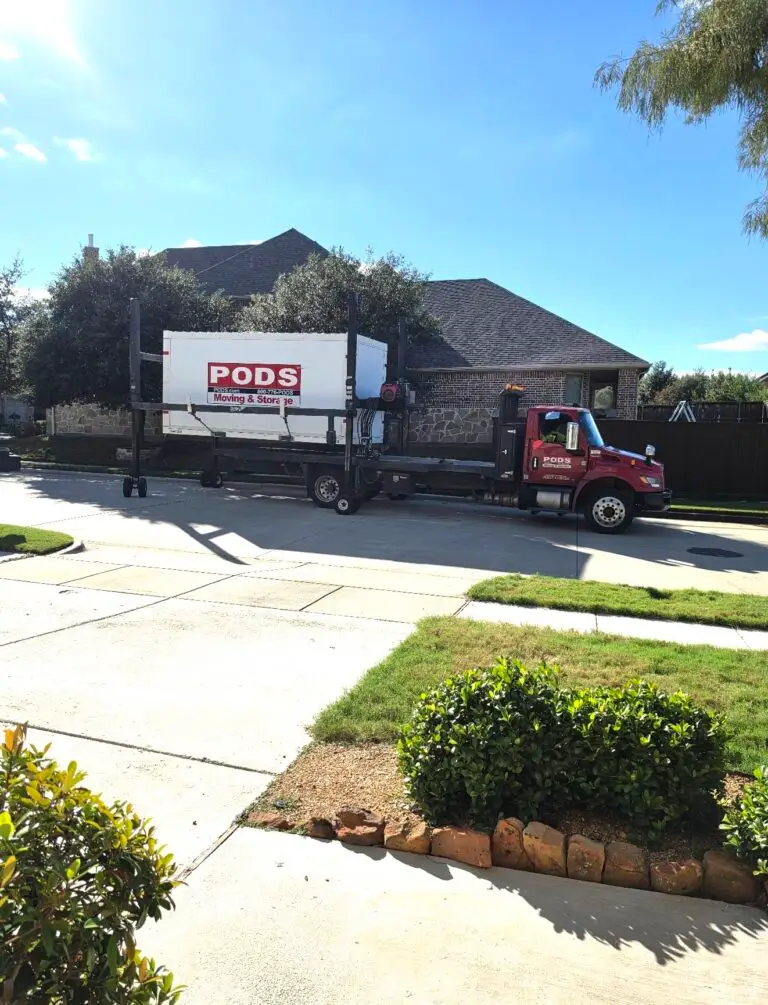
And just like that, the POD is finally gone! πŸ“¦πŸš›

We got all our stuff into the house… now we just have to figure out where it all goes. πŸ˜‚

I’d love to see a video of what our belongings endured on their journey halfway across the country from Pittsburgh to Dallas. Probably best the furniture can’t talk! πŸ˜†