How Long Can a Table Name Be in YugabyteDB? Watch the 63-Byte Limit

A table name can be descriptive. It just cannot be a paragraph.

In YugabyteDB’s YSQL API inherits PostgreSQL’s 63-byte limit for identifiers, including table names. For ASCII names, that means 63 characters. Names containing multibyte characters can hit the limit sooner.

A longer table name does not necessarily make CREATE TABLE fail. YSQL truncates the identifier, issues a notice, and can successfully create the table under the shortened name.

That creates an easy trap: two names that look different in your migration script can become the same name in the database.

The rule: Budget 63 bytes per identifier, including table, column, index, schema, and constraint names. Double quotes do not increase the limit. This tip covers YSQL.

Check the Limit on Your Cluster

				
					SHOW max_identifier_length;


Expected result:

				
					.max_identifier_length
-----------------------
 63
(1 row)


You can also retrieve it inside SQL:

				
					SELECT current_setting('max_identifier_length')::integer AS max_name_bytes;


This is a read-only setting reporting a build-time limit. It is not a setting you can increase with SET.

Demo 1: A 75-Character Name Becomes a 63-Character Name

Run these examples in a test database. To keep the demo objects together, start a fresh session and create a dedicated schema:

				
					CREATE SCHEMA yb_name_demo;
SET search_path = yb_name_demo, pg_catalog;
SET client_min_messages = notice;


First, check the length of the proposed name:

				
					SELECT LENGTH(
  'this_table_name_is_way_way_way_way_way_way_way_way_way_way_way_way_too_long'
);


Result:

				
					 length
--------
     75
(1 row)


Now create the table:

				
					CREATE TABLE this_table_name_is_way_way_way_way_way_way_way_way_way_way_way_way_too_long (
  c1 INT
);


Output:

				
					NOTICE:  identifier "this_table_name_is_way_way_way_way_way_way_way_way_way_way_way_way_too_long" will be truncated to "this_table_name_is_way_way_way_way_way_way_way_way_way_way_way_"
CREATE TABLE


The important part is the final line: the table was created.

Inspect it in ysqlsh:

				
					\d yb_name_demo.this*


Or check the stored name directly:

				
					SELECT
  c.relname AS stored_name,
  length(c.relname::text) AS characters,
  octet_length(c.relname::text) AS bytes
FROM pg_class AS c
JOIN pg_namespace AS n ON n.oid = c.relnamespace
WHERE n.nspname = 'yb_name_demo'
  AND c.relkind = 'r'
  AND c.relname::text LIKE 'this_table_name%';


Expected values:

				
					.                          stored_name                           | characters | bytes
-----------------------------------------------------------------+------------+-------
 this_table_name_is_way_way_way_way_way_way_way_way_way_way_way_ |         63 |    63
(1 row)


The catalog stores the shortened name. It does not retain the original 75-character spelling for you to recover later.

Demo 2: Different Names, Same Table

What if the part that distinguishes two names appears after byte 63?

The table from Demo 1 ends in _too_long in the submitted SQL. Try a second name ending in _too_short:

				
					CREATE TABLE this_table_name_is_way_way_way_way_way_way_way_way_way_way_way_way_too_short (
  c1 INT
);


Both spellings have the same first 63 bytes. Expect a truncation notice followed by an error:

				
					ERROR:  relation "this_table_name_is_way_way_way_way_way_way_way_way_way_way_way_" already exists


Run the remaining statements individually, outside an explicit transaction, so the expected error above does not abort a transaction containing the rest of the demo.

Now add IF NOT EXISTS:

				
					CREATE TABLE IF NOT EXISTS this_table_name_is_way_way_way_way_way_way_way_way_way_way_way_way_too_short (
  c1 INT
);


This skips creation of the existing relation. It does not create a second table.

Insert a row using each long spelling:

				
					INSERT INTO this_table_name_is_way_way_way_way_way_way_way_way_way_way_way_way_too_long
VALUES (1);

INSERT INTO this_table_name_is_way_way_way_way_way_way_way_way_way_way_way_way_too_short
VALUES (2);

SELECT * FROM this_table_name_is_way_way_way_way_way_way_way_way_way_way_way_
ORDER BY c1;


Expected result:

				
					.c1
----
  1
  2
(2 rows)


Both inserts reached the same table.

Warning: IF NOT EXISTS does not validate that an existing table is the object or definition you intended. Truncation can turn an apparent “create another table” operation into “reuse the existing table.” Later SQL using either overlong spelling can access the same object.

This is also why generated ALTER TABLE, TRUNCATE, and DROP TABLE statements should validate identifiers before execution.

Demo 3: 32 Characters Can Already Be Too Long

With UTF-8 encoding, é occupies two bytes.

Check your encoding, then compare character length with byte length:

				
					SHOW server_encoding;

SELECT
  length(repeat('é', 32)) AS characters,
  octet_length(repeat('é', 32)) AS bytes;


With UTF-8, expect:

				
					.characters | bytes
------------+-------
         32 |    64
(1 row)


Try creating a table with that quoted name:

				
					DO $$
BEGIN
  EXECUTE format(
    'CREATE TABLE yb_name_demo.%I (id integer)',
    repeat('é', 32)
  );
END;
$$;

SELECT
  length(c.relname::text) AS stored_characters,
  octet_length(c.relname::text) AS stored_bytes
FROM pg_class AS c
JOIN pg_namespace AS n ON n.oid = c.relnamespace
WHERE n.nspname = 'yb_name_demo'
  AND c.relname::text = repeat('é', 31);


Expected result with UTF-8:

				
					.stored_characters | stored_bytes
-------------------+--------------
                31 |           62
(1 row)


Truncation preserves complete characters, so this name uses 62 bytes. The remaining byte cannot hold another é.

Use octet_length() when validating identifier size. A character count alone can miss an oversized name.

Why Partitioned Tables Need Extra Headroom

Partition names often append a date or numeric suffix to the parent name:

				
					invoice_events
invoice_events_p20261029
invoice_events_p20261030


If a naming tool simply appends those suffixes to an already long parent name, truncation can remove the distinguishing date or partition number.

The bundled pg_partman documentation explains that it shortens the parent-name portion to preserve required suffixes. It also warns that long, similar parent names can still cause conflicts between partition sets.
Leave room for generated names: Include partition suffixes, index labels, sequence suffixes, and migration-tool additions in your naming budget. For an ASCII suffix such as _p20261029, reserve 10 bytes before choosing the parent name. Check the behavior of the pg_partman version installed on your cluster.

Do not assume every tool shortens names in the same way. Test the DDL generated by your ORM, partition manager, or migration framework.

Practical Workarounds

Use Short Names and Put Descriptions in Comments

Choose a readable identifier and store the longer business description separately:

				
					CREATE TABLE yb_name_demo.invoice_events (
  event_id bigint PRIMARY KEY,
  event_type text
);

COMMENT ON TABLE yb_name_demo.invoice_events IS
  'Invoice lifecycle events received from the billing integration.';


Names such as invoice_events, customer_accounts, and payment_attempts are usually easier to work with than names containing the entire application and business hierarchy.

Use Schemas to Express Context

For example, billing.invoice_events can communicate the same context as a much longer table name repeating the billing application prefix.

The schema and table are separate identifiers; each has its own limit. Schema qualification does not increase the table-name limit.

Use explicit schema qualification in generated SQL so name resolution is predictable.

Generate a Short Name with a Stable Hash Suffix

When automation must map long logical names to physical objects, preserve a readable prefix and add a hash derived from the full logical name.

This example assumes lowercase ASCII input beginning with a letter:

				
					WITH proposed(logical_name) AS (
  VALUES
    ('this_table_name_is_way_way_way_way_way_way_way_way_way_way_way_way_too_long'),
    ('this_table_name_is_way_way_way_way_way_way_way_way_way_way_way_way_too_short')
),
mapped AS (
  SELECT
    logical_name,
    left(
      logical_name,
      current_setting('max_identifier_length')::integer - 13
    ) || '_' || left(md5(logical_name), 12) AS physical_name
  FROM proposed
)
SELECT
  logical_name,
  physical_name,
  octet_length(physical_name) AS name_bytes
FROM mapped;


For a 63-byte limit, the budget is:

				
					50 ASCII prefix bytes + 1 underscore + 12 hash characters = 63 bytes


This is a naming convention you implement in your tooling. YSQL does not add a hash automatically when it truncates an identifier.

A shortened hash reduces collision risk but does not guarantee uniqueness. Validate the final names, check for collisions in their destination namespace, and keep the logical-to-physical mapping. Include suffixes in the budget before generating partition or index names.

The left() calculation above counts characters and is suitable for the stated ASCII input. A generator supporting Unicode must shorten the prefix by bytes while preserving complete characters.

Catch Oversized Names Before Running DDL

Validate proposed names while they are still text, before passing them to SQL as identifiers:

				
					WITH proposed(object_name) AS (
  VALUES
    ('invoice_events'),
    ('this_table_name_is_way_way_way_way_way_way_way_way_way_way_way_way_too_long')
)
SELECT
  object_name,
  octet_length(object_name) AS name_bytes,
  current_setting('max_identifier_length')::integer AS allowed_bytes
FROM proposed
WHERE octet_length(object_name) >
      current_setting('max_identifier_length')::integer;


Only the oversized candidate should be returned.

For deployment tooling, make an oversized name a validation failure. Also check uniqueness after applying your tool’s case handling, shortening, and suffix rules.

Keep proposed names as text during validation. Casting them to the catalog name type first can truncate them before your length check.

Find Existing Relation Names Near the Limit

This query lists tables, partitioned tables, indexes, views, materialized views, sequences, and foreign tables with names using at least 50 bytes:

				
					SELECT
  n.nspname AS schema_name,
  c.relname AS object_name,
  c.relkind AS object_kind,
  octet_length(c.relname::text) AS name_bytes,
  current_setting('max_identifier_length')::integer
    - octet_length(c.relname::text) AS remaining_bytes
FROM pg_class AS c
JOIN pg_namespace AS n ON n.oid = c.relnamespace
WHERE n.nspname NOT LIKE 'pg_%'
  AND n.nspname <> 'information_schema'
  AND c.relkind IN ('r', 'p', 'i', 'I', 'v', 'm', 'S', 'f')
  AND octet_length(c.relname::text) >= 50
ORDER BY name_bytes DESC, schema_name, object_name;


The 50-byte threshold is a review aid, not a database restriction. A name at 63 bytes may be intentional; the catalog alone cannot tell you whether it was truncated.

Column and constraint names are stored in other catalogs and need separate checks.

Naming Practices That Save Trouble

PracticeReason
Prefer lowercase ASCII snake_case.Makes byte budgeting and consistent name handling easier.
Use a team budget below 63 bytes.A 40–50-byte base-name guideline can leave room for suffixes; calculate the actual requirement.
Keep partition parent names especially short.Allows dates, IDs, and generated object names to remain distinguishable.
Validate names before executing DDL.Catches oversized names and collisions before they reach the parser.
Review generated index and constraint names.Short table names do not guarantee that every generated identifier fits.
Capture migration notices.Truncation uses a NOTICE with SQLSTATE 42622. Hiding notices does not prevent truncation.
Double quotes and format(‘%I’, name) handle identifier quoting; they do not bypass the length limit. Likewise, suppressing notices with client_min_messages = warning changes visibility, not behavior.

Although PostgreSQL documents a source-code constant controlling identifier storage, changing that constant is not a runtime workaround for a deployed YugabyteDB cluster. Design names to fit the supported build.

Clean Up the Demo

After finishing, remove only the dedicated demo schema and its contents:

				
					RESET search_path;
RESET client_min_messages;
DROP SCHEMA yb_name_demo CASCADE;


Final Takeaway

YSQL’s identifier limit is 63 bytes, not necessarily 63 characters. An oversized name can be truncated while the statement still succeeds, and two different long names can resolve to the same table. IF NOT EXISTS does not protect you from that collision.

Keep names short and readable, reserve space for partition and generated-object suffixes, and validate proposed names with octet_length() before running DDL. When automation needs to shorten names, use a consistent mapping and check the resulting names for uniqueness.

Have Fun!

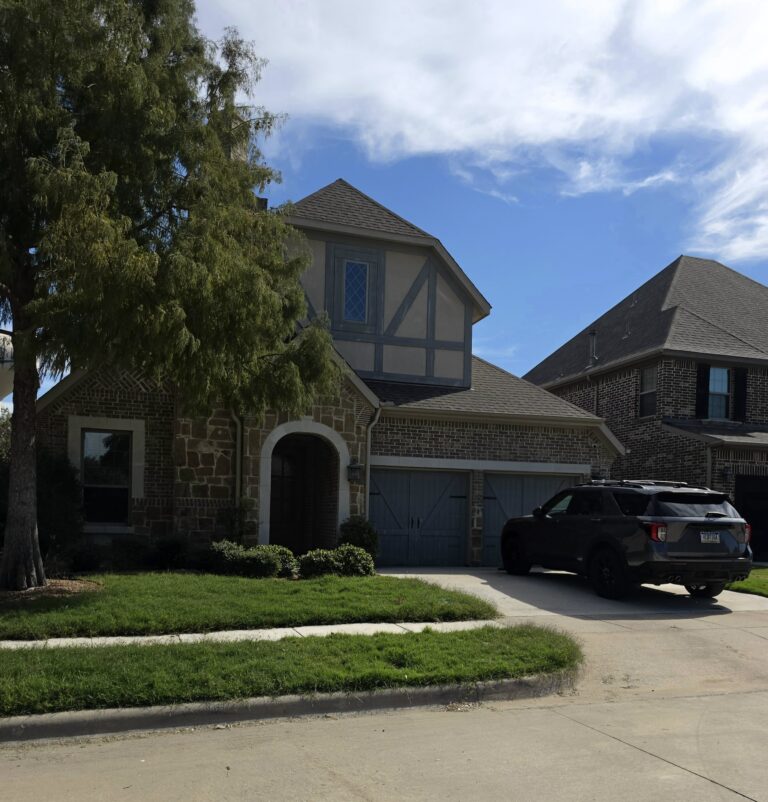
After months of planning, we finally made it to our new home in Dallas! 🏡 The grass apparently spent those months growing. 😂 Got it cut over the weekend thanks to my future son-in-law, who brought his mower over while mine is still making its way from Pittsburgh in a moving POD. We beat the mower to Texas! 🤠
