Build Metadata-Driven Multi-Tenant RLS with Database Roles

In the previous YugabyteDB Tip, Row-Level Security Is a Predicate, Not a One-Time Check, we looked at an important principle:

  • Think of an RLS USING clause as hot-path code.

Keep the predicate simple, deterministic where possible, and index-friendly.

That is still excellent advice.

But what happens when the authorization requirement itself isn’t simple?

Suppose an application has many tenants, and application users receive access through database roles:

  • ● role1 can access tenants 1, 3, and 10
  • ● role2 can access tenants 1, 2, 5, and 11
  • ● role3 can access tenants 3, 4, and 6
  • ● A user can belong to more than one application role
  • ● Tenant assignments need to change dynamically without altering the RLS policy
  • ● A user with no recognized application role must see zero rows
  • ● An administrator needs access to all tenants

Instead of hard-coding that authorization logic into the policy, let’s make the authorization model metadata-driven while keeping the actual RLS predicate as lightweight as practical.

The result will look conceptually like this:

  • Database user → application role membership → role/tenant metadata → allowed tenant IDs → RLS tenant predicate
💡 The Goal
Put the complicated authorization lookup behind a statement-stable helper, but keep the row-level portion of the policy centered on tenant_id. We are not eliminating RLS evaluation… we are designing the predicate so YugabyteDB has the best opportunity to execute it efficiently.

What We’re Building

Here is the authorization model:

Component Purpose
tenant_app Base application role that is allowed to query the protected table.
role1, role2, role3 Application authorization roles whose tenant assignments come from metadata.
tenant_admin Administrative role allowed to access every tenant.
app_security.app_roles Registry of database roles that are permitted to participate in tenant authorization.
app_security.role_tenant_access Maps application roles to the tenants they can access.
allowed_tenant_ids() Resolves the effective user’s database role memberships into a list of permitted tenant IDs.

YugabyteDB roles can represent users or groups, and role memberships can be granted to login roles, which makes them a natural building block for this authorization model.

1. Create the Database Roles

First create the application and administrative roles.

				
					CREATE ROLE tenant_app NOLOGIN;
CREATE ROLE tenant_admin NOLOGIN;

CREATE ROLE role1 NOLOGIN;
CREATE ROLE role2 NOLOGIN;
CREATE ROLE role3 NOLOGIN;


tenant_app controls ordinary access to the protected table.

role1, role2, and role3 represent business-level authorization groups.

tenant_admin will get its own RLS policy that allows all rows.

2. Create a Protected Security Schema

Let’s keep the authorization metadata separate from the application tables.

We’ll also create a non-login owner for the security objects.

				
					CREATE ROLE tenant_security_owner NOLOGIN;

CREATE SCHEMA AUTHORIZATION tenant_security_owner;

ALTER SCHEMA tenant_security_owner
RENAME TO app_security;

REVOKE ALL ON SCHEMA app_security FROM PUBLIC;


Now create the objects while acting as the security owner:

				
					SET ROLE tenant_security_owner;


3. Register the Application Roles

Rather than allowing any arbitrary database role to appear in the tenant mapping table, create a small registry of roles that are allowed to participate in tenant authorization.

				
					CREATE TABLE app_security.app_roles (
    app_role regrole PRIMARY KEY
);


Now register the three application roles:

				
					INSERT INTO app_security.app_roles (app_role)
VALUES
    ('role1'::regrole),
    ('role2'::regrole),
    ('role3'::regrole);


There is a useful detail here: regrole.

regrole is PostgreSQL’s OID alias type for database roles. Supplying a role name as a regrole resolves it against the database role catalog.

That means this:

				
					INSERT INTO app_security.app_roles (app_role)
VALUES ('role_does_not_exist'::regrole);


fails rather than quietly creating authorization metadata for a nonexistent database role.

Conceptually:

  • The role must exist in the database before it can participate in our tenant-access model.

Using regrole also means the metadata internally identifies the role by its database OID rather than merely storing an arbitrary role-name string.

4. Create the Role-to-Tenant Mapping

Now create the metadata that actually controls tenant access:

				
					CREATE TABLE app_security.role_tenant_access (
    app_role regrole NOT NULL,
    tenant_id BIGINT NOT NULL,

    PRIMARY KEY (app_role HASH, tenant_id ASC),

    FOREIGN KEY (app_role)
        REFERENCES app_security.app_roles(app_role)
        ON DELETE CASCADE
);


The primary key begins with app_role, because the important lookup is:

  • Give me the tenants assigned to these application roles.

Populate the example mappings:

				
					INSERT INTO app_security.role_tenant_access
    (app_role, tenant_id)
VALUES
    ('role1'::regrole, 1),
    ('role1'::regrole, 3),
    ('role1'::regrole, 10),

    ('role2'::regrole, 1),
    ('role2'::regrole, 2),
    ('role2'::regrole, 5),
    ('role2'::regrole, 11),

    ('role3'::regrole, 3),
    ('role3'::regrole, 4),
    ('role3'::regrole, 6);


The resulting metadata looks like this:

Application Role Allowed Tenants
role1 1, 3, 10
role2 1, 2, 5, 11
role3 3, 4, 6

No RLS DDL has to change when these assignments change.

The metadata is the authorization configuration.

5. Resolve the Current User’s Allowed Tenants

Now comes the more interesting part.

We need to answer:

  • Which registered application roles does the effective database user belong to, and which tenants are assigned to those roles?

Create this helper:

				
					console.log( 'Code is Poetry' );CREATE OR REPLACE FUNCTION app_security.allowed_tenant_ids(
    p_user name
)
RETURNS bigint[]
LANGUAGE sql
STABLE
SECURITY DEFINER
SET search_path = pg_catalog, app_security, pg_temp
AS $$
    SELECT CASE
        WHEN p_user = session_user
             OR pg_catalog.pg_has_role(
                    session_user,
                    p_user::text,
                    'MEMBER'
                )
        THEN COALESCE(
            (
                SELECT
                    array_agg(
                        DISTINCT m.tenant_id
                        ORDER BY m.tenant_id
                    )
                FROM app_security.app_roles ar
                JOIN pg_catalog.pg_roles r
                  ON r.oid = ar.app_role::oid
                JOIN app_security.role_tenant_access m
                  ON m.app_role = ar.app_role
                WHERE
                    p_user = r.rolname
                    OR pg_catalog.pg_has_role(
                        p_user,
                        r.oid,
                        'MEMBER'
                    )
            ),
            ARRAY[]::bigint[]
        )
        ELSE ARRAY[]::bigint[]
    END;
$$;


pg_has_role(..., 'MEMBER') detects direct or indirect role membership.

The DISTINCT is intentional.

If a user belongs to both role2 and role3, and both roles grant tenant 3, the resulting array should still contain tenant 3 only once.

The COALESCE() is even more important:

				
					COALESCE(..., ARRAY[]::bigint[])


If the user has no recognized application roles, the function returns:

				
					{}


not NULL and certainly not “all tenants.”

That gives us a clean fail-closed behavior.

Why SECURITY DEFINER?

The application should not need direct access to the authorization tables.

SECURITY DEFINER allows the helper to read those protected metadata tables using the function owner’s privileges.

But there is a subtle security detail.

Inside a SECURITY DEFINER function, current_user changes to the function owner. That’s why the RLS policy will explicitly pass its current_user into the function as p_user.

The function also locks down its search_path, which is important when using SECURITY DEFINER.

Now remove the default public execution privilege:

				
					REVOKE ALL
ON FUNCTION app_security.allowed_tenant_ids(name)
FROM PUBLIC;


Return to the administrator:

				
					RESET ROLE;


Allow the application role to use the schema and function:

				
					GRANT USAGE
ON SCHEMA app_security
TO tenant_app;

GRANT EXECUTE
ON FUNCTION app_security.allowed_tenant_ids(name)
TO tenant_app;


Notice what we did not grant:

				
					SELECT on app_roles
SELECT on role_tenant_access


The application can use the authorization function without directly querying or changing the authorization metadata.

Why Is the Function STABLE?

This is where the previous RLS tip becomes important.

The function reads database metadata, but that metadata should remain logically consistent for the duration of one SQL statement.

That makes STABLE appropriate.

PostgreSQL defines a STABLE function as one whose result remains consistent within a statement. This also gives the optimizer freedom that it does not have with a VOLATILE function, including the ability to use stable expressions as index-scan conditions.

⚡ STABLE still does not mean “execute exactly once.”
We are deliberately giving the optimizer a statement-stable authorization expression, but we should not describe the tenant array as guaranteed to be calculated exactly once or automatically cached. Always verify the actual execution plan.

This also has a useful implication for dynamic authorization changes.

If an administrator changes the mapping while another SQL statement is already running, the running statement continues using its existing snapshot.

The updated authorization applies to subsequent statements… not halfway through an already-running statement.

6. Create the Tenant Data

Now create some tenant-scoped application data:

				
					CREATE TABLE tenant_data (
    tenant_id BIGINT NOT NULL,
    record_id BIGINT NOT NULL,
    payload   TEXT,

    PRIMARY KEY ((tenant_id) HASH, record_id ASC)
);


Insert sample rows:

				
					INSERT INTO tenant_data
    (tenant_id, record_id, payload)
VALUES
    (1,  1, 'Tenant 1 data'),
    (2,  1, 'Tenant 2 data'),
    (3,  1, 'Tenant 3 data'),
    (4,  1, 'Tenant 4 data'),
    (5,  1, 'Tenant 5 data'),
    (6,  1, 'Tenant 6 data'),
    (7,  1, 'Tenant 7 data'),
    (8,  1, 'Tenant 8 data'),
    (9,  1, 'Tenant 9 data'),
    (10, 1, 'Tenant 10 data'),
    (11, 1, 'Tenant 11 data'),
    (12, 1, 'Tenant 12 data');


The important part is that tenant_id participates directly in the access path.

The YugabyteDB YSQL skill specifically emphasizes designing primary keys and indexes around actual query access patterns and validating them with YugabyteDB’s distributed EXPLAIN statistics.

What If One Tenant Is Huge?

Hashing on tenant_id works particularly well when you have many reasonably sized tenants because tenants are distributed across the hash space and tenant-scoped queries have a natural access path.

But there is a tradeoff.

All rows sharing one hashed tenant_id are associated with that tenant’s hash value.

For workloads with extremely large or disproportionately busy tenants, you may need a composite hash key or bucketing strategy rather than making one tenant the sole hash key. The YugabyteDB YSQL skill specifically warns about highly uneven tenants and recommends broader hash distribution for those workloads.

That is a schema-design decision worth testing against the actual workload.

7. Enable RLS

Enable Row-Level Security:

				
					ALTER TABLE tenant_data
ENABLE ROW LEVEL SECURITY;


Give the two base roles table access:

				
					GRANT SELECT
ON tenant_data
TO tenant_app, tenant_admin;


Now create the regular application policy:

				
					CREATE POLICY tenant_role_access
ON tenant_data
FOR SELECT
TO tenant_app
USING (
    tenant_id = ANY(
        app_security.allowed_tenant_ids(current_user)
    )
);


Notice how little authorization logic remains in the actual policy:

				
					tenant_id = ANY(...)


The role resolution, catalog validation, metadata lookup, and de-duplication are encapsulated behind the statement-stable helper.

8. Give the Administrator a Separate Policy

Instead of adding this:

				
					pg_has_role(current_user, 'tenant_admin', 'MEMBER')
OR tenant_id = ANY(...)


to every row’s ordinary tenant predicate, give administrators their own policy:

				
					CREATE POLICY tenant_admin_all
ON tenant_data
FOR SELECT
TO tenant_admin
USING (true);


This is cleaner for both security and performance.

RLS policies can target specific roles, and normal role membership rules determine which policies apply. When multiple permissive policies apply, they are combined using OR.

So:

  • ● A tenant_app user gets the metadata-driven tenant policy.
  • ● A tenant_admin member gets the USING (true) policy.
  • ● A user belonging to both gets access because the administrative policy permits every row.

Why Not Just Give tenant_admin BYPASSRLS?

YugabyteDB also supports:

				
					ALTER ROLE tenant_admin BYPASSRLS;


But I would not use that for this example.

BYPASSRLS means the role bypasses RLS policies generally, not merely this one table. YugabyteDB documents BYPASSRLS as bypassing every RLS policy for the role.

Our explicit:

				
					TO tenant_admin
USING (true)


policy is scoped to the table whose administration we are intentionally granting.

🔐 Prefer the narrowest administrative privilege that satisfies the requirement.
A table-specific administrator policy is usually safer than granting BYPASSRLS merely because an administrator needs access to every tenant in one application.

9. Create Some Application Users

Now create example users:

				
					CREATE ROLE user_role1 LOGIN PASSWORD 'demo_password';
CREATE ROLE user_role2 LOGIN PASSWORD 'demo_password';
CREATE ROLE user_multi LOGIN PASSWORD 'demo_password';
CREATE ROLE user_none  LOGIN PASSWORD 'demo_password';
CREATE ROLE user_admin LOGIN PASSWORD 'demo_password';


Grant the base application role plus authorization roles:

				
					GRANT tenant_app, role1
TO user_role1;

GRANT tenant_app, role2
TO user_role2;

GRANT tenant_app, role2, role3
TO user_multi;

GRANT tenant_app
TO user_none;

GRANT tenant_admin
TO user_admin;


10. What Should Each User See?

The expected result is:

User Application Roles Visible Tenants
user_role1 role1 1, 3, 10
user_role2 role2 1, 2, 5, 11
user_multi role2 + role3 1, 2, 3, 4, 5, 6, 11
user_none None No rows
user_admin tenant_admin All tenants

For example, connect as user_role2 and run:

				
					SELECT tenant_id, payload
FROM tenant_data
ORDER BY tenant_id;


The user should see only:

				
					1
2
5
11


The No-Role Case Fails Closed

user_none is a member of tenant_app, so the user has permission to issue:

				
					SELECT *
FROM tenant_data;


But there are no registered application roles associated with the user.

The helper therefore returns an empty array:

				
					{}


And the effective predicate becomes:

				
					tenant_id = ANY('{}'::bigint[])


That is never TRUE.

Result:

  • zero rows.

No developer has to remember to append a tenant filter to the application query.

RLS enforces it.

11. Change Access Without Changing the Policy

Now for one of the biggest benefits of the design.

Suppose role2 should also gain access to tenant 10.

An administrator runs:

				
					INSERT INTO app_security.role_tenant_access
    (app_role, tenant_id)
VALUES
    ('role2'::regrole, 10);


The next query from user_role2 can access:

				
					1
2
5
10
11


No:

				
					ALTER POLICY


No application deployment… No application restart… No new database role.

Now revoke tenant 5:

				
					DELETE FROM app_security.role_tenant_access
WHERE app_role = 'role2'::regrole
  AND tenant_id = 5;


Subsequent statements now resolve role2 to:

				
					1
2
10
11


That is what makes the model truly metadata-driven.

12. Test the Hot Path with YugabyteDB’s Distributed EXPLAIN

This is the part I would not skip.

The previous tip established that we should never assume our RLS expression executes the way we imagine.

Test it.

Connect as the actual application user and run:

				
					EXPLAIN (ANALYZE, DIST, COSTS)
SELECT tenant_id, record_id, payload
FROM tenant_data;


The YugabyteDB YSQL skill recommends looking specifically at distributed execution metrics such as:

  • ● Scan type
  • ● Storage Read Requests
  • ● Storage Rows Scanned

Those metrics help answer the important question:

  • Is the tenant predicate helping YugabyteDB locate the required data, or are we scanning far more data than expected?

Do the same for representative users:

  • ● One tenant role
  • ● Several tenant roles
  • ● No tenant roles
  • ● Administrator

And test with realistic tenant counts and table sizes.

Don’t Build a 100,000-Tenant Array for an Administrator

This design works particularly well when application roles resolve to a reasonable subset of tenants.

For example:
  • role1 → 3 tenants
  • role2 → 4 tenants
  • regional_support → 70 tenants
  • enterprise_team → 250 tenants

But suppose a platform administrator needs access to all 100,000 tenants.

Don’t build an array containing 100,000 IDs just so this can happen:

				
					tenant_id = ANY(...)


That is exactly why we created:

				
					CREATE POLICY tenant_admin_all
...
USING (true);


The normal application path stays selective.

The administrative path doesn’t manufacture an enormous authorization list that ultimately means:

  • everything.
⚡ Match the authorization mechanism to the cardinality.
A tenant-ID array is a good fit for selective multi-tenant access. If a role effectively means “all tenants,” represent that explicitly instead of manufacturing a giant list of tenant IDs.

MEMBER vs. USAGE

This example intentionally uses:

				
					pg_has_role(..., 'MEMBER')


MEMBER recognizes direct or indirect role membership.

That means:

user
↓
role_a
↓
role_b

can participate in hierarchical authorization.

YugabyteDB roles use INHERIT by default, but roles can also be configured with NOINHERIT.

If your authorization semantics need to distinguish between:

  • “This user is a member of the role”

and:

  • “This role’s privileges are currently available to the user”

then review whether MEMBER or USAGE best matches the application’s security model.

For this example, membership itself defines tenant authorization, so MEMBER is intentional.

One More RLS Security Detail: Table Ownership

Remember that superusers and roles with BYPASSRLS bypass RLS, and table owners normally bypass RLS as well. PostgreSQL’s RLS behavior also allows the owner to be forced through policies with FORCE ROW LEVEL SECURITY

In production:

  • Do not make your ordinary application role the owner of the protected table.

If your security model requires the owner itself to obey RLS, consider:

				
					ALTER TABLE tenant_data
FORCE ROW LEVEL SECURITY;


And when testing, test as the actual application role… not as the table owner or a superuser.

Final Takeaway

The previous tip said:

  • Keep RLS predicates simple.

This design doesn’t contradict that advice.

It shows what to do when the authorization model itself is legitimately more sophisticated.

We moved the complicated parts:

  • ● Database role validation
  • ● Role membership resolution
  • ● Many-to-many role/tenant mappings
  • ● Duplicate tenant removal
  • ● Fail-closed handling

behind a statement-stable authorization helper.

And we kept the row-level decision centered on:

				
					tenant_id = ANY(...)


The overall pattern becomes:

  • Database roles
    • → metadata-driven tenant assignments
    • → statement-stable authorization lookup
    • → index-friendly tenant predicate
    • → RLS enforcement

The practical rules are:

  • ✔ Maintain a small registry of database roles allowed to participate in tenant authorization.
  • ✔ Use real database role membership rather than trusting an application-supplied role name.
  • ✔ Store tenant assignments as data so they can change without modifying RLS policies.
  • ✔ Return an empty tenant set when no valid authorization role exists.
  • ✔ Keep administrators on a separate policy rather than constructing giant tenant lists.
  • ✔ Use STABLE only for its actual volatility semantics—don’t assume it guarantees one execution per query.
  • ✔ Keep tenant_id aligned with an appropriate YugabyteDB access path.
  • ✔ Protect authorization metadata from ordinary application users.
  • ✔ Test RLS using the actual application roles.
  • ✔ Use EXPLAIN (ANALYZE, DIST, COSTS) to verify the distributed execution rather than guessing.
💡 RLS doesn’t require simplistic authorization.
The trick is to keep sophisticated authorization logic out of the row-by-row portion of the policy as much as possible. Resolve the user’s authorization context efficiently, fail closed when nothing matches, and leave YugabyteDB with a tenant predicate it has a good chance of executing efficiently.

Have Fun!

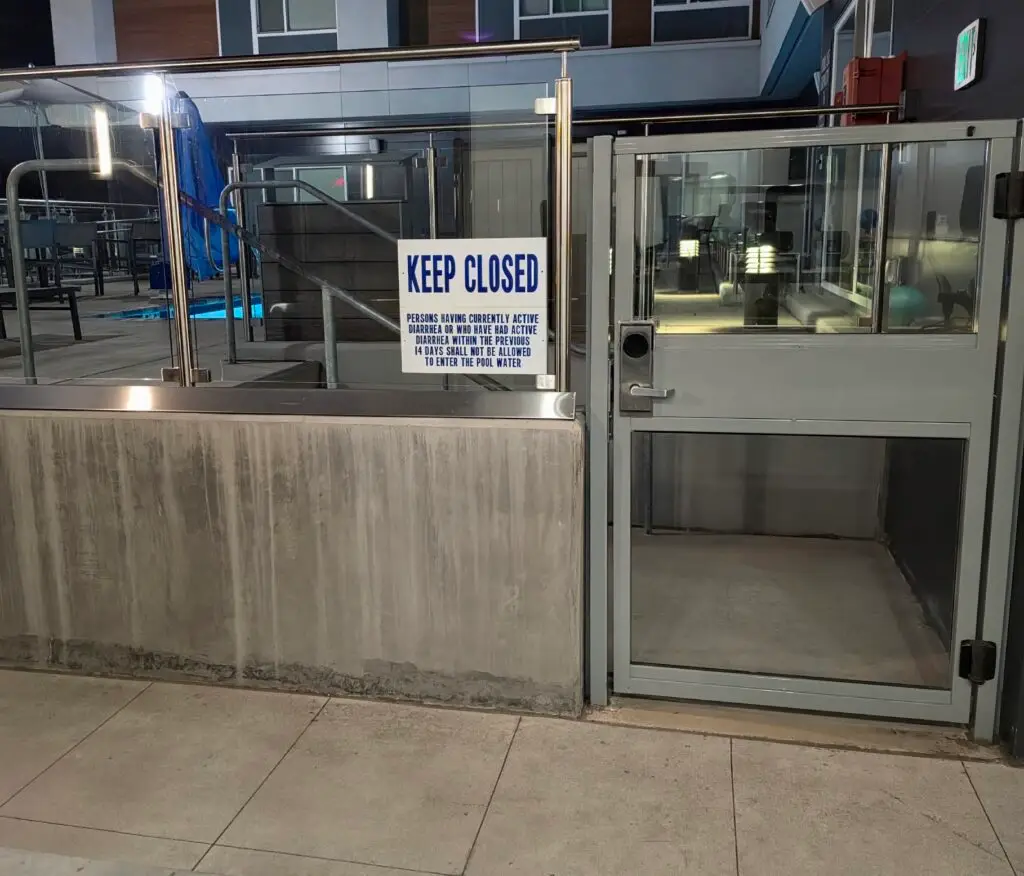
I thought about going for a swim at the hotel pool this morning… that is, until I read the sign. 💩😳😂

Suddenly, the gym seemed like a much better option.
