Create an Azure Private Link Connection to YugabyteDB Aeon with Terraform

The YugabyteDB Aeon documentation explains how to create an Azure Private Service Endpoint using the Aeon UI or the ybm CLI.

But can the complete Azure Private Link connection be created with Terraform?

Yes.

The YugabyteDB Aeon Terraform provider includes the ybm_private_service_endpoint resource. For Azure, the resource grants access to one or more Azure subscription IDs and returns the Private Link service alias required to create the application-side Azure private endpoint.

Engineering validation in progress: This tip is currently under review by YugabyteDB Engineering to validate the Terraform configuration, resource behavior, and recommended deployment approach. The content may be updated based on that review.

The complete deployment looks like this:

				
					YugabyteDB Aeon Cluster
          |
          | ybm_private_service_endpoint
          |
          | service_name
          | Azure Private Link service alias
          v
Azure Private Endpoint
          |
          | Private IP address
          v
Application VNet
          |
          | azure.yugabyte.cloud
          v
Application
				
			
No CLI workaround is required: Terraform can create the YugabyteDB Aeon Private Service Endpoint, pass its computed service_name to an Azure private endpoint, and configure the private DNS record needed to connect using the normal Aeon PSE hostname.

What Are We Creating?

This demo creates:

  • ● A Private Service Endpoint on an existing YugabyteDB Aeon cluster
  • ● Authorization for the current Azure subscription
  • ● An Azure private endpoint in the application VNet
  • ● A private IP address for the endpoint
  • ● An Azure Private DNS zone named azure.yugabyte.cloud
  • ● A link between the private DNS zone and application VNet
  • ● An A record mapping the Aeon PSE hostname to the private endpoint IP address
  • ● Terraform outputs containing the PSE host, service alias, state, and private IP

The key handoff between the two Terraform providers is:

				
					private_connection_resource_alias = ybm_private_service_endpoint.azure.service_name


The Aeon service_name is the Azure Private Link service alias. It does not need to be copied manually from the Aeon UI or parsed from a CLI command. YugabyteDB’s Azure documentation identifies the PSE service name as the alias used when creating the Azure private endpoint.

Prerequisites

You will need:

  • ● A YugabyteDB Aeon dedicated cluster deployed on Azure
  • ● The Aeon cluster ID
  • ● A YugabyteDB Aeon API key
  • ● An active Azure subscription
  • ● An existing Azure resource group
  • ● An application VNet
  • ● A subnet where the private endpoint will be created
  • ● Azure credentials available to Terraform
  • ● Terraform 1.5 or later

The Azure subscription used to create the private endpoint must be included as a security principal on the Aeon PSE. YugabyteDB Aeon expects an Azure subscription ID rather than an IAM principal ARN.

For a multi-region cluster, create one PSE and one corresponding Azure private endpoint for every region that requires private application connectivity.

Create the Terraform Configuration

Create a file named main.tf:

				
					terraform {
  required_version = ">= 1.5.0"

  required_providers {
    ybm = {
      source  = "yugabyte/ybm"
      version = "~> 1.0"
    }

    azurerm = {
      source  = "hashicorp/azurerm"
      version = "~> 4.0"
    }
  }
}

###############################################################################
# Variables
###############################################################################

variable "ybm_api_key" {
  description = "YugabyteDB Aeon API key."
  type        = string
  sensitive   = true
}

variable "ybm_cluster_id" {
  description = "ID of the YugabyteDB Aeon cluster."
  type        = string
}

variable "aeon_region" {
  description = "Azure region containing the YugabyteDB Aeon cluster region."
  type        = string
  default     = "westus3"
}

variable "azure_location" {
  description = "Azure region containing the application VNet."
  type        = string
  default     = "westus3"
}

variable "azure_resource_group_name" {
  description = "Resource group where the private endpoint and DNS resources will be created."
  type        = string
}

variable "application_vnet_name" {
  description = "Name of the existing application VNet."
  type        = string
}

variable "private_endpoint_subnet_name" {
  description = "Name of the existing subnet where the private endpoint will be created."
  type        = string
}

variable "private_endpoint_name" {
  description = "Name of the Azure private endpoint."
  type        = string
  default     = "yugabyte-aeon-private-endpoint"
}

variable "tags" {
  description = "Tags to add to the Azure resources."
  type        = map(string)

  default = {
    ManagedBy = "Terraform"
    Service   = "YugabyteDB-Aeon"
  }
}

###############################################################################
# Providers
###############################################################################

provider "ybm" {
  host            = "cloud.yugabyte.com"
  use_secure_host = true
  auth_token      = var.ybm_api_key
}

provider "azurerm" {
  features {}
}

###############################################################################
# Discover the Current Azure Subscription
###############################################################################

data "azurerm_client_config" "current" {}

###############################################################################
# Look Up the Existing Application VNet
###############################################################################

data "azurerm_virtual_network" "application" {
  name                = var.application_vnet_name
  resource_group_name = var.azure_resource_group_name
}

###############################################################################
# Look Up the Existing Private Endpoint Subnet
###############################################################################

data "azurerm_subnet" "private_endpoint" {
  name                 = var.private_endpoint_subnet_name
  virtual_network_name = data.azurerm_virtual_network.application.name
  resource_group_name  = var.azure_resource_group_name
}

###############################################################################
# Create the Private Service Endpoint in YugabyteDB Aeon
###############################################################################

resource "ybm_private_service_endpoint" "azure" {
  cluster_id = var.ybm_cluster_id
  region     = var.aeon_region

  security_principals = [
    data.azurerm_client_config.current.subscription_id
  ]
}

###############################################################################
# Create the Azure Private Endpoint
###############################################################################

resource "azurerm_private_endpoint" "yugabyte" {
  name                = var.private_endpoint_name
  location            = var.azure_location
  resource_group_name = var.azure_resource_group_name
  subnet_id           = data.azurerm_subnet.private_endpoint.id

  custom_network_interface_name = "${var.private_endpoint_name}-nic"

  private_service_connection {
    name = "${var.private_endpoint_name}-connection"

    # The Aeon service name is the Azure Private Link service alias.
    private_connection_resource_alias = (
      ybm_private_service_endpoint.azure.service_name
    )

    # The remote Private Link service is owned by YugabyteDB.
    is_manual_connection = true

    request_message = "Connect this endpoint to YugabyteDB Aeon"
  }

  tags = var.tags
}

###############################################################################
# Create the Private DNS Zone
###############################################################################

resource "azurerm_private_dns_zone" "yugabyte" {
  name                = "azure.yugabyte.cloud"
  resource_group_name = var.azure_resource_group_name

  tags = var.tags
}

###############################################################################
# Link the Private DNS Zone to the Application VNet
###############################################################################

resource "azurerm_private_dns_zone_virtual_network_link" "yugabyte" {
  name                  = "yugabyte-aeon-vnet-link"
  resource_group_name   = var.azure_resource_group_name
  private_dns_zone_name = azurerm_private_dns_zone.yugabyte.name
  virtual_network_id    = data.azurerm_virtual_network.application.id

  # We only need DNS resolution. VM auto-registration is not required.
  registration_enabled = false

  tags = var.tags
}

###############################################################################
# Extract the Record Name from the Aeon PSE Host
###############################################################################

locals {
  pse_dns_record_name = trimsuffix(
    ybm_private_service_endpoint.azure.host,
    ".azure.yugabyte.cloud"
  )
}

###############################################################################
# Map the PSE Host to the Azure Private Endpoint IP
###############################################################################

resource "azurerm_private_dns_a_record" "yugabyte" {
  name                = local.pse_dns_record_name
  zone_name           = azurerm_private_dns_zone.yugabyte.name
  resource_group_name = var.azure_resource_group_name
  ttl                 = 300

  records = [
    azurerm_private_endpoint.yugabyte
      .private_service_connection[0]
      .private_ip_address
  ]
}

###############################################################################
# Outputs
###############################################################################

output "azure_subscription_id" {
  description = "Azure subscription authorized to access the Aeon PSE."
  value       = data.azurerm_client_config.current.subscription_id
}

output "yugabyte_pse_endpoint_id" {
  description = "ID of the YugabyteDB Aeon Private Service Endpoint."
  value       = ybm_private_service_endpoint.azure.endpoint_id
}

output "yugabyte_pse_state" {
  description = "State of the YugabyteDB Aeon Private Service Endpoint."
  value       = ybm_private_service_endpoint.azure.state
}

output "yugabyte_pse_host" {
  description = "Private YugabyteDB Aeon hostname."
  value       = ybm_private_service_endpoint.azure.host
}

output "yugabyte_pse_service_alias" {
  description = "Azure Private Link service alias published by Aeon."
  value       = ybm_private_service_endpoint.azure.service_name
}

output "azure_private_endpoint_id" {
  description = "ID of the Azure private endpoint."
  value       = azurerm_private_endpoint.yugabyte.id
}

output "azure_private_endpoint_ip" {
  description = "Private IP address assigned to the Azure private endpoint."

  value = (
    azurerm_private_endpoint.yugabyte
      .private_service_connection[0]
      .private_ip_address
  )
}

output "yugabyte_private_dns_name" {
  description = "Private DNS hostname used to connect to YugabyteDB Aeon."

  value = join(".", [
    azurerm_private_dns_a_record.yugabyte.name,
    azurerm_private_dns_zone.yugabyte.name
  ])
}


The Aeon provider requires the host and auth_token arguments, while use_secure_host controls HTTPS. The PSE resource requires the cluster ID, region, and security principals, and returns fields including host, service_name, state, and endpoint_id.

How the Configuration Works

The configuration connects the resources through Terraform references:

				
					Azure subscription ID
          |
          v
ybm_private_service_endpoint
          |
          | service_name
          v
azurerm_private_endpoint
          |
          | private_ip_address
          v
azurerm_private_dns_a_record


Because these values are referenced directly, Terraform automatically creates the resources in the correct order.

No explicit depends_on statements are required.

Supply the Environment-Specific Values

Create a file named terraform.tfvars:

				
					ybm_cluster_id = "00000000-1111-2222-3333-444444444444"

aeon_region  = "westus3"
azure_location = "westus3"

azure_resource_group_name = "my-application-rg"

application_vnet_name = "my-application-vnet"

private_endpoint_subnet_name = "private-endpoints"

private_endpoint_name = "yugabyte-aeon-private-endpoint"

tags = {
  Environment = "demo"
  ManagedBy   = "Terraform"
  Service     = "YugabyteDB-Aeon"
}


The aeon_region must match a region where the Aeon cluster is deployed. The Azure private endpoint should be created in the region containing the application VNet. YugabyteDB recommends placing the cluster PSE and application endpoint in corresponding regions.

Authenticate with Azure

For a local demonstration, authenticate using the Azure CLI:

				
					az login


Select the Azure subscription that owns the application VNet:

				
					az account set \
  --subscription "<azure-subscription-id>"


Confirm the selected subscription:

				
					az account show \
  --query '{
    subscriptionName:name,
    subscriptionId:id,
    tenantId:tenantId
  }' \
  --output table


Terraform uses this subscription ID in:

				
					security_principals = [
  data.azurerm_client_config.current.subscription_id
]


For CI/CD, use the normal AzureRM provider authentication variables or workload identity instead of an interactive Azure CLI login.

Supply the Aeon API Key

Do not place the Aeon API key directly in terraform.tfvars.

Export it through a Terraform environment variable:

				
					export TF_VAR_ybm_api_key="<your-aeon-api-key>"


Terraform automatically passes the value to the sensitive ybm_api_key variable.

Protect the Terraform state: Marking the API key as sensitive prevents normal display in Terraform output, but sensitive values can still be stored in Terraform state. Use an encrypted remote backend with tightly controlled access.

Initialize Terraform

Run:

				
					terraform init


When upgrading an existing configuration, run:

				
					terraform init -upgrade


Confirm the provider selections:

				
					terraform providers


Expected providers include:

				
					provider[registry.terraform.io/yugabyte/ybm]
provider[registry.terraform.io/hashicorp/azurerm]


Validate the Configuration

Run:

				
					terraform fmt


Then validate the configuration:

				
					terraform validate


Expected result:

				
					Success! The configuration is valid.


Review the Terraform Plan

Create a Terraform plan:

				
					terraform plan -out=tfplan


For a new deployment, Terraform should typically plan five resources:

				
					Plan: 5 to add, 0 to change, 0 to destroy.


The resources are:

				
					ybm_private_service_endpoint.azure
azurerm_private_endpoint.yugabyte
azurerm_private_dns_zone.yugabyte
azurerm_private_dns_zone_virtual_network_link.yugabyte
azurerm_private_dns_a_record.yugabyte


The existing VNet and subnet are read through data sources and are not changed.

Apply the Configuration

Run:

				
					terraform apply tfplan


The Azure private endpoint can take several minutes to become available.

After the apply completes, display the outputs:

				
					terraform output


Example output:

				
					azure_private_endpoint_id = "/subscriptions/11111111-2222-3333-4444-555555555555/resourceGroups/my-application-rg/providers/Microsoft.Network/privateEndpoints/yugabyte-aeon-private-endpoint"

azure_private_endpoint_ip = "10.20.3.7"

azure_subscription_id = "11111111-2222-3333-4444-555555555555"

yugabyte_private_dns_name = "pse-westus3.65f14618-f86a-41c2-a8c6-7004edbb965a.azure.yugabyte.cloud"

yugabyte_pse_endpoint_id = "aaaaaaaa-bbbb-cccc-dddd-eeeeeeeeeeee"

yugabyte_pse_host = "pse-westus3.65f14618-f86a-41c2-a8c6-7004edbb965a.azure.yugabyte.cloud"

yugabyte_pse_service_alias = "yb-private-link-service.xxxxxxxx-xxxx-xxxx-xxxx-xxxxxxxxxxxx.westus3.azure.privatelinkservice"

yugabyte_pse_state = "ACTIVE"


The actual values will be different in your environment.

Verify the Aeon PSE

Display the Aeon PSE state:

				
					terraform output -raw yugabyte_pse_state


Expected result:

				
					ACTIVE


Display the PSE host:

				
					terraform output -raw yugabyte_pse_host


Azure PSE hostnames always end with:

				
					azure.yugabyte.cloud


The PSE service name is represented as an Azure Private Link service alias.

Verify the Azure Private Endpoint

Display the private endpoint:

				
					az network private-endpoint show \
  --name "$(terraform output -raw azure_private_endpoint_id | awk -F/ '{print $NF}')" \
  --resource-group "my-application-rg" \
  --output table


A simpler command using the configured name is:

				
					az network private-endpoint show \
  --name yugabyte-aeon-private-endpoint \
  --resource-group my-application-rg \
  --query '{
    Name:name,
    Location:location,
    ProvisioningState:provisioningState
  }' \
  --output table


Expected result:

				
					Name                              Location    ProvisioningState
--------------------------------  ----------  -------------------
yugabyte-aeon-private-endpoint    westus3     Succeeded


Check both possible Azure connection collections:

				
					az network private-endpoint show \
  --name yugabyte-aeon-private-endpoint \
  --resource-group my-application-rg \
  --query '{
    automatic:privateLinkServiceConnections[].privateLinkServiceConnectionState.status,
    manual:manualPrivateLinkServiceConnections[].privateLinkServiceConnectionState.status
  }' \
  --output json


The connection should report:

				
					Approved


YugabyteDB’s documented Azure procedure states that the connection should appear as approved after the endpoint is deployed.

Verify the Private IP Address

Display the private IP assigned to the endpoint:

				
					terraform output -raw azure_private_endpoint_ip


You can also retrieve the endpoint NIC from Azure:

				
					NIC_ID=$(
  az network private-endpoint show \
    --name yugabyte-aeon-private-endpoint \
    --resource-group my-application-rg \
    --query 'networkInterfaces[0].id' \
    --output tsv
)


Display the private IP:

				
					az network nic show \
  --ids "${NIC_ID}" \
  --query 'ipConfigurations[0].privateIPAddress' \
  --output tsv


The IP should match:

				
					terraform output -raw azure_private_endpoint_ip


Why the DNS Resources Are Required.

Creating the private endpoint assigns a private IP address, but applications should connect using the Aeon PSE hostname rather than the bare IP address.

The YugabyteDB Azure Private Link procedure requires:

  • 1. A private DNS zone named azure.yugabyte.cloud
  • 2. A VNet link connecting that zone to the application VNet
  • 3. An A record containing the part of the PSE hostname before .azure.yugabyte.cloud
  • 4. The private endpoint IP address as the record value

For a host such as:

				
					pse-westus3.65f14618-f86a-41c2-a8c6-7004edbb965a.azure.yugabyte.cloud


The DNS record name must be:

				
					pse-westus3.65f14618-f86a-41c2-a8c6-7004edbb965a


Terraform derives that value automatically:

				
					locals {
  pse_dns_record_name = trimsuffix(
    ybm_private_service_endpoint.azure.host,
    ".azure.yugabyte.cloud"
  )
}


Verify Private DNS

Run the following commands from a virtual machine, container, or application host connected to the application VNet:

				
					PSE_HOST="$(terraform output -raw yugabyte_pse_host)"


Resolve the hostname:

				
					nslookup "${PSE_HOST}"


Expected result:

				
					Name:    pse-westus3.65f14618-f86a-41c2-a8c6-7004edbb965a.azure.yugabyte.cloud
Address: 10.20.3.7


You can also use:

				
					dig +short "${PSE_HOST}"


The returned address should match:

				
					terraform output -raw azure_private_endpoint_ip


Azure VNet links allow resources in the linked VNet to resolve records stored in a private DNS zone. Because this example creates the PSE record explicitly, VM DNS autoregistration is not needed.

Test the YSQL Port.

From a host in the application VNet, test port 5433:

				
					PSE_HOST="$(terraform output -raw yugabyte_pse_host)"

nc -vz "${PSE_HOST}" 5433


Expected result:

				
					Connection to <pse-host> 5433 port [tcp/*] succeeded!


If the connection fails, inspect:

  • ● The Network Security Group associated with the application
  • ● The private endpoint subnet
  • ● User-defined routes
  • ● DNS resolution
  • ● The Azure private endpoint connection state

YugabyteDB’s Azure documentation specifically notes that the application VNet security configuration must allow internal connectivity to the endpoint.

Connect with ysqlsh

Download the cluster CA certificate from YugabyteDB Aeon.

Then connect from a host inside the application VNet:

				
					PSE_HOST="$(terraform output -raw yugabyte_pse_host)"

PGSSLMODE=verify-full \
PGSSLROOTCERT=./root.crt \
ysqlsh \
  -h "${PSE_HOST}" \
  -p 5433 \
  -U <database_user> \
  -d yugabyte


After connecting, verify the database:

				
					SELECT version();


Use the PSE hostname rather than the private endpoint IP address. The hostname is required for proper DNS behavior and TLS hostname verification.

Connecting with YCQL

The default YCQL port is 9042.

Test the port:

				
					PSE_HOST="$(terraform output -raw yugabyte_pse_host)"

nc -vz "${PSE_HOST}" 9042console.log( 'Code is Poetry' );


Connect using ycqlsh:

				
					ycqlsh \
  "${PSE_HOST}" \
  9042 \
  -u <database_user> \
  -p '<database_password>' \
  --ssl


Ensure the relevant Network Security Groups permit the required application traffic.

Using an Existing Private DNS Zone

Many organizations manage private DNS centrally in a hub subscription or networking resource group.

When the azure.yugabyte.cloud zone already exists, do not create another conflicting zone.

Replace:

				
					resource "azurerm_private_dns_zone" "yugabyte" {
  name                = "azure.yugabyte.cloud"
  resource_group_name = var.azure_resource_group_name
}


with a data source:

				
					data "azurerm_private_dns_zone" "yugabyte" {
  name                = "azure.yugabyte.cloud"
  resource_group_name = "<central-dns-resource-group>"
}


Then update references from:

				
					azurerm_private_dns_zone.yugabyte


to:

				
					data.azurerm_private_dns_zone.yugabyte


The application VNet still needs a link to the private DNS zone, or access to a central DNS resolver capable of resolving the zone.

Watch for custom DNS: Linking a private DNS zone to the VNet is sufficient when clients use Azure-provided DNS. Environments using custom DNS servers may also require conditional forwarding or Azure DNS Private Resolver so queries for azure.yugabyte.cloud reach Azure Private DNS.

Multi-Region Aeon Clusters

A multi-region Aeon cluster requires a separate PSE for each region where private connectivity is needed.

For example:

				
					Aeon westus3 PSE
        |
        v
Azure westus3 private endpoint
        |
        v
westus3 application resources


Aeon eastus2 PSE
        |
        v
Azure eastus2 private endpoint
        |
        v
eastus2 application resources


Each region has:

  • ● Its own ybm_private_service_endpoint
  • ● Its own service_name alias
  • ● Its own Azure private endpoint
  • ● Its own private IP address
  • ● Its own DNS A record

The shared private DNS zone can contain multiple PSE records.

A basic Aeon-side Terraform pattern can use for_each:

				
					variable "pse_regions" {
  type = set(string)

  default = [
    "westus3",
    "eastus2"
  ]
}

resource "ybm_private_service_endpoint" "azure" {
  for_each = var.pse_regions

  cluster_id = var.ybm_cluster_id
  region     = each.value

  security_principals = [
    data.azurerm_client_config.current.subscription_id
  ]
}


Corresponding Azure private endpoints and DNS records must also be created for each region.

Private Link Limitations

YugabyteDB smart-driver topology-aware load balancing is not supported when connecting through a private link. The smart driver falls back to the underlying upstream driver behavior.

Plan for the connection behavior: Azure Private Link provides private connectivity, but it does not provide topology-aware smart-driver routing. Evaluate the application connection strategy carefully for multi-region deployments.

Unlike VPC peering, a connection through a Private Service Endpoint does not require adding an IP allow list to the Aeon cluster.

Why the Native Terraform Resource Is Better

Capability ybm CLI with local-exec Native Terraform Resources
Terraform state PSE is not fully represented PSE and Azure endpoint are stored in state
Service alias Must be parsed or copied manually Passed directly between resources
Private IP Must be discovered after creation Passed directly to the DNS record
Dependencies Managed with scripts and triggers Handled by the Terraform dependency graph
Destroy Requires separate cleanup commands Handled by Terraform
Drift detection Limited Visible during terraform plan

Destroy the Private Link Connection

Review the destroy plan:

				
					terraform plan -destroy


Destroy the managed resources:

				
					terraform destroy


Terraform removes:

  • ● The private DNS A record
  • ● The VNet link
  • ● The private DNS zone
  • ● The Azure private endpoint
  • ● The YugabyteDB Aeon PSE

The VNet and subnet are data sources in this example, so Terraform does not delete them.

When using a shared private DNS zone, manage the zone separately so destroying one endpoint does not remove DNS records used by other applications or clusters.

Final Takeaway

Azure Private Link can be managed end to end with Terraform. Use ybm_private_service_endpoint to create the YugabyteDB Aeon side of the connection. Pass its computed service_name to azurerm_private_endpoint as the Private Link service alias. Finally, map the resulting private IP address to the PSE host in the azure.yugabyte.cloud private DNS zone.

Resources

Have Fun!

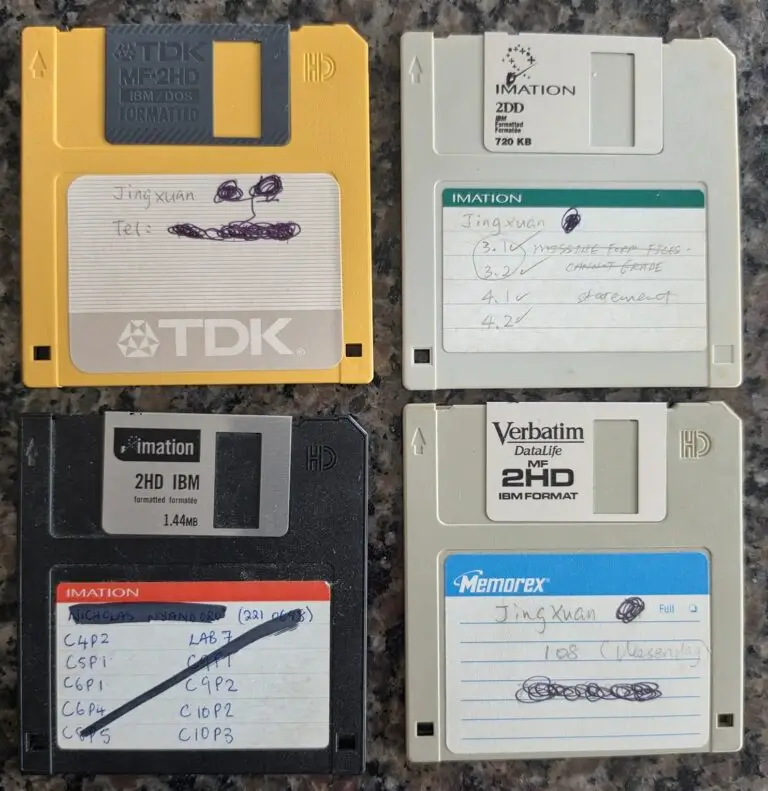
As we dig through old junk drawers and try to get rid of things we don’t want to haul to Dallas, we came across these storage relics: old 5ΒΌ-inch and 3Β½-inch floppy disks, holding a whopping 720 KB to 1.44 MB each! Honestly, I had almost forgotten they existed. Now I’m wondering how many of these it would take to store a YugabyteDB database... probably enough to fill the entire moving truck! πŸ’ΎπŸ˜‚
